Product · October 21, 2026 · 14 min read
Whistlr Havens Now Fit 50,000 Members: A Local Growth Guide for Businesses
Whistlr Havens now hold up to 50,000 members per location. See how businesses and creators use Nearby, Live Havens, and private Havens to grow locally.
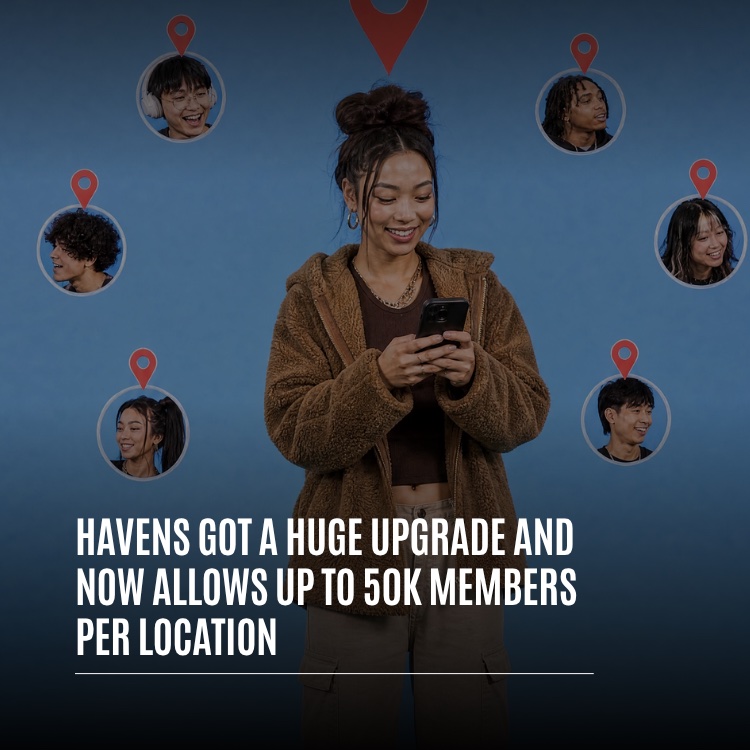
Whistlr Havens can now grow to 50,000 members at a single location, which means one pin on the map is big enough for an entire neighborhood, campus, venue, or loyal customer base. If you have not used them yet, a Haven is a local community tied to a real spot, and this release gives each one far more capacity plus several new routes to discovery. Havens now sit on a map called Nearby, they can host a stream or an audio room in real time, they can be limited to mutual followers, and they pick up emoji reactions, a dedicated profile tab, and notifications for followers whenever you open a new one. For cafés, gyms, shops, venues, and creators with a hometown following, the result is a straightforward way to bring together the people who already care about your place. Below, we cover what is new, how the member cap works when you run more than one storefront, and a practical plan for building a Haven that locals genuinely want to be part of.
Why Location-Based Communities Matter for Local Businesses
Most social tools group people by who they already know. That suits friends, but it overlooks something every neighborhood business sees daily: your most valuable audience is often whoever keeps walking through your door. Coffee regulars, gym members, fans at every show, and students who claim the same corner table are linked by a location long before they are linked by a chat.
A location-based community begins with that shared spot. Rather than asking customers to search for a handle, it meets them where your business already exists, and it keeps the conversation alive between visits. Recommendations, photos from the weekend, and news about what is coming next all collect in one space tied to your address.
There is a practical upside as well. A community anchored to your location keeps working while your doors are closed, because members keep posting, answering one another, and sharing photos that show first-timers what to expect.
That is the thinking behind Whistlr Havens. If you read our earlier piece on how Whistlr supports local businesses, think of Havens as the place where that support turns into something your customers can actually join.
What Whistlr Havens Are
Every Haven starts when someone marks a location and gives it an identity. The creator sets a title, writes a short summary, chooses a category, and uploads a cover image or clip. From then on, the Haven acts as a meeting point for anyone connected to that spot or to what goes on there. Members sign up, share into a common feed, react, respond to one another, and keep things going after the original moment has passed.
Compare that with a group chat, which is assembled from a list of contacts. A Haven assembles itself around geography, so the people inside are the ones who walk by, grab lunch nearby, lift weights down the street, or turn up for the same Thursday open mic. The location handles the recruiting for you.
There are three kinds:
- Creator Havens: open to anyone, these can be pinned to a skate park, a study lounge, a beloved record shop, or nearly any spot that has a crowd.
- Business Havens: attached to restaurants, cafés, shops, and other local venues, so talk about the business sits on the map at its real address.
- Live Havens: introduced in this release, they let a host attach an active stream or a public audio room to wherever they are right now, so nearby people can drop in during the broadcast.
Whistlr Havens Now Grow to 50,000 Members
Capacity is the centerpiece. A single Haven can now welcome as many as 50,000 members, roughly the population of a small town gathered around one address. To put the number in perspective, Pods, the Discord-style spaces on Whistlr, top out at 20,000 members, so a Haven now holds well over twice as many people.
One Address, One Community
Spots that people love rarely stay small. A university Haven might open with a few roommates and, by the next semester, count a big slice of the student body. A Haven for a concert hall can swell from a few superfans to nearly everyone who has bought a ticket there. Until now, the most successful Havens were the ones bumping against their ceiling.
Once a group hits its limit, members typically launch a second group, and the conversation fractures. For a business, that hurts: announcements reach only half your audience, and your history lives in two places. With a much larger ceiling, each address can keep a single community with a single feed and a single shared archive.
Every Storefront Gets Its Own Capacity
The 50,000 figure is counted Haven by Haven, and each Haven belongs to one address. That is welcome news if you operate several storefronts. Every shop can host its own community of regulars, and filling one never eats into the capacity of another. A bakery with three shops, for instance, can run three Havens, each shaped by its own block.
Engineered to Stay Quick at Scale
Size is only useful if a Haven still opens without a wait, and much of this release went into loading performance. When you open Nearby, the closest public Havens arrive together in one call, and each card fetches only the details it displays, so even a crowded downtown map appears quickly. Inside a Haven, posts, the member list, and the creator's profile load side by side instead of in sequence, and the member list is prepared ahead of time so it appears the instant you tap it. Counts of members and new joins refresh live, so the figures on screen are always current.
A Haven with tens of thousands of people should open as quickly as a brand-new one. Your customers should never be able to tell the difference.
Get Discovered on the Nearby Map
Nearby is a new Whistlr map that gathers local activity in one view, with Havens, lives, and posts side by side. For a neighborhood business, it behaves a lot like a shop window that people can browse from blocks away.
Open it and Havens appear across the surrounding area, each marked with the face of whoever runs it, while a stack of cards along the bottom invites swiping. Filter chips run across the top of the map, including Popular, Business, Food, Fitness, Music, Art, Gaming, Tech, Shows, Outdoors, and Lifestyle, plus All. Pan to a different part of town and a "Show Havens in this area" button pulls in what is there.
Rotating Cards Give Newcomers a Chance
Nearby shuffles its card selection on every visit and puts Havens you have not seen yet at the front. That stops the same few spots from claiming the top of the stack each time. For a new or smaller business, this is a real opportunity, because your community gets genuine exposure to locals instead of losing out to the largest Haven nearby. Combine that with an accurate category and an eye-catching cover, and Nearby becomes one of the easiest ways to reach your target audience close to home.
A few small details carry a lot of weight here. Because your face is shown alongside the Havens you run, a clear and recognizable profile photo helps regulars pick you out. Your category controls which filter you appear under, and your cover is what people react to as they swipe. Give those three things the same care you would give your sign, your window display, and a listing in a local guide.
Live Havens: Make Every Stream a Local Event
Live Havens combine streaming with place. During a broadcast, tapping "Make this live a Haven" drops a pin at your current position on Nearby. Nothing about the stream itself changes. What changes is that anyone in the area can now see it on the map and tap straight in.
How Live Havens Work
- Tied to the broadcast: the pin stays on Nearby only for as long as you are streaming.
- Clean exits: once the stream finishes, or once you tap "End Haven," the pin is gone from the map.
- Honest locations: only your present position can be used, so nobody can pin a broadcast somewhere they are not standing.
- Audio included: a public audio room can be attached to a location in exactly the same way, which helps people near a park or venue stumble onto a conversation happening there.
- Optional privacy: choose "Mutuals only" to share the pin with close friends while hiding it from the wider map.
Stats That Measure Local Pull
Hosts also see numbers built for local reach. While you are live, the Haven reports the count of distinct viewers who arrived through the map pin, how many of those came in during the past ten minutes, your current viewer total, and roughly how many Whistlr users keep a saved location inside a five-mile radius of you. Taken together, those figures show whether the neighborhood is really tuning in. A boutique running an in-store event, a coach streaming a class in the park, or a band playing a hometown set can watch in real time how much of the audience is arriving from the map. To learn more about broadcasting, visit our Whistlr Live page.
Private Havens, Reactions, a Profile Tab, and Follow Alerts
Capacity gets the attention, yet much of the release focuses on discovery and on keeping big groups welcoming.
Private Havens
Some Havens are better kept small. During setup you can switch a Haven to private, which limits it to you and your mutuals, meaning people you follow who also follow you. That works nicely for a team practice field, a staff gathering spot, or an event meant only for your inner circle.
Emoji, Votes, and Threads
Busy communities need quick, low-effort ways to respond. Posts in a Haven now accept emoji reactions drawn from the palette used across regular Whistlr posts, and members can react to the Haven as a whole as well as to individual posts. On any single post, a person keeps either a like or one emoji, and swapping between the two happens immediately. Members can also vote posts up or down, which helps the best contributions surface when the feed gets crowded, and comment threads give room for deeper discussion.
For a business, voting acts as lightweight quality control. When members upvote the clearest answers about opening hours, parking, or what to order, those answers climb for the next newcomer with the same question, and you avoid repeating yourself.
The Havens Tab
Whenever you run at least one active Haven, a Havens tab appears on your profile, letting visitors browse the places you started and join from there. Prefer to keep it out of view? Turn the tab off in Edit Profile and other people will see your profile without it. For a business, the tab works like a directory of your locations.
Notifications for New Havens
Followers could already be alerted when you post or start a stream. They can now also opt in to hear about it when you open a Haven. That reshapes a new location launch, because your most interested followers learn about the next spot the second it goes up, so the community starts with people in it instead of silence.
How to Create a Haven for Your Business
Setup takes a couple of minutes. Work through these steps to launch well:
- Open the Havens map. Tap the create option to begin.
- Upload a cover. Pick a single clip or as many as four images. People judge your Haven by this image first, so show the space and its mood.
- Write a title and summary. Keep the title plain and the summary brief. Titles that conflict with the community guidelines are rejected, so stay friendly.
- Select a category. Choose the closest honest match, for example Tech, Music, Art & Creative, Gaming, Food & Drink, or Sports & Fitness. Nearby filters rely on categories, so picking the right one matters.
- Set the location. Look up a city, a street address, or a zip code, or place the pin at your current position. That point becomes the Haven's home.
- Decide who sees it. Leave it public for anyone browsing Nearby, or restrict it to your mutuals.
- Go live and say hello. Publish, then write the first post yourself. A greeting plus a pinned post makes the Haven feel active on day one.
If you run several storefronts, repeat these steps for each address and use consistent names so customers can tell them apart quickly. Havens pair well with the rest of Whistlr's business tools.
What Members Can Do Inside a Haven
Knowing how members experience a Haven helps you design one that is easy to enter. Someone taps a pin or a Nearby card, and the Haven opens. At the top they find the cover, the summary in the "About this Haven" section, a member count, and the newest posts. Tapping Join turns them into a member, which is what unlocks posting and messaging. If they see a "Join to send a message" prompt, that is the cue.
Members are able to:
- Share written updates, pictures, clips, GIFs, and songs
- Mention other people and attach hashtags to help posts surface
- Leave emoji, cast votes, and respond in threads
- Save Havens they love for quick access later
- Pull up walking or driving directions, with distance, to visit in person
- Leave whenever the Haven is no longer for them
Storefront owners should pay special attention to directions. That feature closes the gap between reading about your spot and actually stopping by.
A Growth Playbook for Whistlr Havens
A ceiling of 50,000 gives you space, but it does not fill itself. Havens that grow quickly usually share a few habits.
Say Exactly What Your Haven Offers
Generic names get skipped. A title and summary that spell out the benefit, such as a daily list of late-night food near campus, show up better on Nearby and turn browsers into members more often.
Place the Pin Precisely
Mark the spot where people really gather instead of a vague point downtown. A precise pin surfaces your Haven for the locals most likely to care.
Bring Viewers In With Live Havens
Streaming from your location puts you in front of nearby users while it happens. Check the Live Haven stats to see how many arrived through the map, then send them to your main Haven so the connection outlasts the broadcast.
Pin the Essentials and Keep Details Fresh
New members should understand a large Haven at a glance. Creators can pin posts above the feed, which is the right home for a welcome note, ground rules, a weekly lineup, or an upcoming event. You can update the cover, title, and summary whenever you like, so make sure the top of the Haven always reflects what is going on right now.
Begin With People Who Know You
Early members almost always come from current followers. Ask them to switch on alerts for your new Havens, leave the Havens tab showing on your profile, and mention your Haven in posts and streams. Reaching your first hundred members is usually the toughest stretch.
Show Up Regularly and Greet New Faces
Recurring moments, like a weekly meetup, a daily pick, or a standing stream, give members a reason to return. Answering a newcomer's first post does more for the mood of a large Haven than any rulebook. For more on building momentum, browse our guides to growing on Whistlr.
Stay Visibly Present
Treat your Haven as an ongoing part of the business rather than a one-time setup. Check in a few times a week, reply to questions, refresh the pinned post whenever your hours or events change, and let member feedback shape your next promotion. The Havens that thrive are the ones where the owner clearly shows up.
Who Whistlr Havens Work Best For
Havens fit anyone with a location people care about, and the bigger ceiling now welcomes groups that previously had no room.
- Cafés, restaurants, gyms, and retail shops: give regulars a place on the map and keep in touch between visits.
- Venues and events: arenas, music halls, galleries, and festival sites can gather every fan who ever attended.
- Creators and streamers: convert a local fan base into a lasting community and meet new viewers through Live Havens.
- Schools and campuses: a single Haven can cover clubs, residence life, events, and study groups for a whole student body.
- Neighborhoods and towns: residents can trade tips, local news, lost items, and weekend ideas tied to where they live.
- Hobby and fitness crews: running groups, pickup games, skaters, and photography walks can expand without forking into duplicates.
What these groups share is a physical anchor. If people already gather somewhere because of you, a Haven gives that gathering a home on the map and keeps it alive between visits.
Privacy and Safety Built Into Havens
Bigger groups naturally prompt privacy questions, and Havens follow firm rules. The Nearby map displays places and posts, never individuals. Your whereabouts are hidden from other users, and Whistlr does not broadcast anyone's real-time position. Location sharing is off until you enable it, and a place appears on a post only when you deliberately tag it. On a first visit to Nearby, a brief two-step walkthrough explains how the map and location settings work.
Each Haven sits wherever its creator placed it. A Live Haven reflects your current position solely because you opted to attach your stream there, and the pin vanishes when the broadcast ends or when you switch it off. A private Haven can be seen only by its creator and that creator's mutuals, and the posts and reactions inside share the Haven's visibility, so nobody can view or react to anything beyond what they are permitted to see.
Creators stay in charge. You can change details, pin or unpin posts, and remove a Haven completely so it disappears from the map for all users. The community guidelines that cover the rest of Whistlr cover Havens as well, which helps keep the space around your business welcoming.
Frequently Asked Questions
How many members can a Whistlr Haven have?
A single Whistlr Haven can now grow to 50,000 members. The cap is counted separately for every Haven, and each Haven belongs to one address, so a business with multiple storefronts can run a separate Haven for every location.
What is a Live Haven on Whistlr?
It is a stream or public audio room that its host attaches to their present position on the Nearby map. The pin is visible only during the broadcast and disappears once the stream finishes or the host taps End Haven.
How do customers find my Haven?
Locals discover Havens through the Havens map and through Nearby. Nearby offers filter chips such as Business, Food, Fitness, and Music, a swipeable row of cards that favors Havens a person has not seen, and a Show Havens in this area button after they pan the map.
Can I make a private Haven?
Yes. Switch a Haven to private during setup and only you and your mutuals, meaning people you follow who also follow you, will be able to see it. A Live Haven can likewise be limited with the Mutuals only option.
Can other people see my location on Nearby?
No. The Nearby map displays places and posts, never individuals. Whistlr does not broadcast anyone's real-time position, location sharing stays off until you enable it, and a place only shows up when you tag a post or pin a Haven yourself.
How do followers know when I start a new Haven?
Followers can switch on alerts for your account. In addition to hearing about your new posts and streams, they can now opt in to a notification whenever you open a Haven, so they can join right away.
Havens now have space for every regular you have, plus new ways for locals to discover you. Pin a Haven to the place your customers already love, stream from the spot, and let the neighborhood see why it is worth a visit.