Product · October 21, 2026 · 13 min read
Inside Whistlr's Daily Release Cycle for Brands and Creators
Whistlr updates ship almost daily. See how over-the-air updates, automatic rollback and feedback loops deliver faster fixes and tools to brands and creators.
Whistlr updates land on a near-daily schedule, and for businesses and creators who depend on the app to sell, broadcast and keep in touch with their audience, that rhythm is worth understanding. There is no finish line for the product. The team keeps shipping repairs, speed work and new tools, and a growing share of those changes now arrive over the air instead of waiting in an App Store queue. This article walks through how releases are produced, which recent changes matter most for brands, what keeps rapid shipping from becoming risky, and how your own bug reports can move a fix up the list.
Why a Constantly Improving App Matters When Your Business Runs on It
When your storefront, your live shows or your community live inside Whistlr, the app becomes a working tool rather than a pastime. A broadcast that takes too long to begin, a profile that appears in pieces or an editor that quits mid-project each has a cost. You might lose a viewer, a moment of interest or several hours of effort. So the speed at which those rough edges get smoothed out matters just as much as the arrival of anything new.
ETAPX approaches this as ongoing care. Its team likes to compare Whistlr to a garden more than to a finished building: a living thing that shifts from season to season and needs tending to stay in good shape. Habits change constantly. Something that suited people in the spring may look crowded by autumn, and a process that held up with a small audience may buckle once far more people arrive. Shipping improvements only a handful of times each year would mean always trailing the people on the platform.
None of this implies the app is half-built. Whatever version is on your phone today works as a complete product. The point is that someone is accountable for it every single day, and that principle shows up in a few working habits:
- Keep each change narrow: A tightly scoped improvement is simpler to verify, describe and reverse than a sprawling release.
- Repair without waiting: A bug fix ships when it is ready instead of riding along with the next big feature.
- Treat refinement as real work: Shaving time off how fast a profile appears, or making a swipe respond with no delay, earns the same respect as a launch.
- Let feedback steer the week: Something a user flags this afternoon can influence what the team picks up next.
Whistlr Updates by the Numbers
A handful of figures make the pace concrete. Development on today's Whistlr codebase started in August 2025. Since that start, the codebase has absorbed upward of 5,000 individual changes. Looking at the most recent 30-day window, changes went out on 26 separate days. And within just the opening three weeks of October, the iOS version number climbed from 5.1 all the way to 6.0.
Work reaches your device in two stages. First, daily edits are made to the mobile app, to the website and to the shared backend behind both. Those edits are then bundled into numbered app builds, and one version may cycle through a long string of builds during testing. Version 5.3 is a good example: it passed through upward of a dozen builds before being replaced. Every build acts as a save point that can be checked against the last one and abandoned if something looks wrong.
The browser experience keeps pace with the phone. Changes made on iOS frequently reach the web within a few days, and a recent round of web work made post cards, profile pages and settings match their iOS counterparts. If your team posts from a phone but reviews from a laptop, that alignment removes a common source of confusion.
How Over-the-Air Whistlr Updates Reach Your Phone
Certain changes still require a traditional App Store release, especially anything touching the native layer of the app. A large share of fixes, however, sits in a portion of Whistlr that can be replaced remotely. Over-the-air delivery was enabled for the iOS app this October, which narrows the delay between a finished fix and a fixed phone.
The sequence looks like this:
- Launch. Each time you start Whistlr, it quietly asks whether anything new is available, and it does so without delaying the screen you wanted.
- Background download. If a routine update exists, it transfers silently while you carry on working.
- Next-launch switch. The fresh code is used the following time the app starts, so a stream or edit in progress is left alone.
- Exception for urgent repairs. When a fix is critical, the team can flag the update so the app restarts as soon as the download completes, putting the repair in place immediately.
Every bundle carries two protections. It is cryptographically signed, and it is tied to one specific app version, which means a device only ever receives code intended for the build it already runs. If a fresh update were to make the app crash, Whistlr automatically returns to the most recent working version, and you never have to reinstall.
You should not have to think about updating. The latest Whistlr should already be waiting when you tap the icon.
In practice, businesses can mostly forget about version management. Use the app as you normally would, leave automatic updates switched on in your phone's settings for the bigger App Store releases, and repairs will find their way to you.
Recent Whistlr Updates That Help Brands and Creators
The clearest way to judge a release process is by its output. In the span of a few weeks this fall, a long list of changes went live. Individually, none was billed as a major launch. Collectively, they left the app quicker, more welcoming and more capable, and a good number of them are directly useful to anyone treating Whistlr as a business.
Reaching People Who Have Not Signed Up Yet
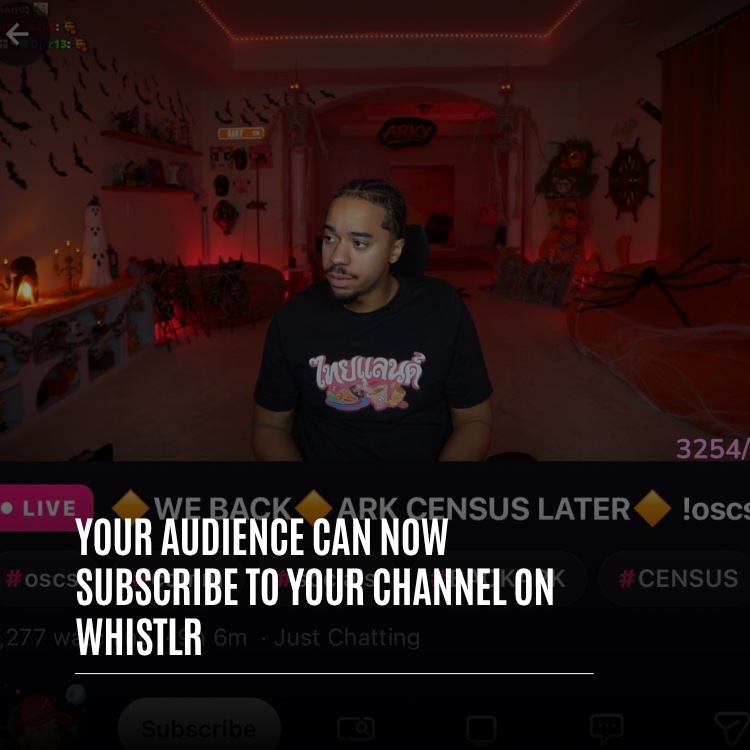
Visitors without an account can now look around Whistlr and tune into streams, and they are only asked to register at the point where they try to interact. That is a meaningful change for brands. Someone you send a stream link to can see what you offer first and make the decision to join afterward. Our live streaming guide explains how to get more from each broadcast.
Faster Streams and Smoother Viewing
- Quicker stream starts: Live video begins sooner, so fewer people drift away before you are on screen.
- No lag on Minis: Swiping ahead in Minis responds the instant your finger moves, which keeps viewers flowing through clips, yours included.
- Less repetition: Photo Minis a person has already seen are passed over, and the banners in Nearby cycle without showing the same one twice.
- Trending, steadied: The Trending tab is back with steadier scrolling, and pulling down to refresh swaps in a fresh set of posts.
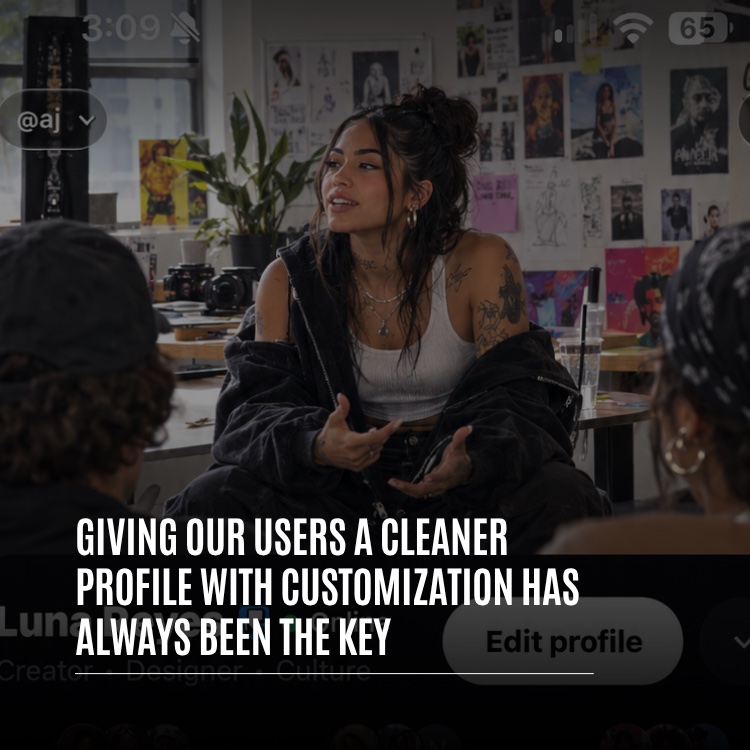
- Complete profile loads: Profiles no longer appear partially assembled. A person's photo shows up at the same moment as their opening row of posts, so visitors get a whole first impression of your page.
Better Tools for Making Content
- Pro-level editing: The video editor gained speed curves, keyframes, freeze frames and chroma key.
- Room for longer stories: Videos posted to your feed can now run as long as 10 minutes, enough for a full tutorial or product demo.
- Polls: A new composer lets you attach a poll to a post, each person can vote only once through a secure system, and results appear both on the card and on the expanded post. It is an easy way to ask your audience what they want next.
For more on the editor, see our earlier look at the video editor.
Working From a Bigger Screen
On iPad, Whistlr now uses a two-pane design with a navigation rail down the side, so two screens can sit next to each other. Teams that moderate comments or plan posts on a tablet get far better use of the extra space.
From Spotted to Shipped: The Daily Improvement Loop
Most fixes move through the same three-part rhythm, often inside a single working day.
Reading the Signals
Mornings tend to start with a review of the previous night. The team scans fresh crash data, new community comments and notes from testers running pre-release builds. The bulk of it simply shows that things are fine. A smaller portion highlights friction, such as a page that is slightly sluggish, a swipe that misbehaves on one particular phone model, or a screen that puzzles first-time users.
Building and Testing
Each issue gets a named owner once its cause is clear. That person writes the fix, the automated test suite runs, and the change is handled on physical phones and tablets, since something that seems smooth in a simulator can still feel clumsy on real hardware. Anything that touches both web and app is verified in both places.
Shipping and Explaining
A finished fix joins the upcoming build or goes out as an over-the-air update. Minor repairs just appear the next time someone launches the app. Larger shifts are introduced with an in-app note or a full PX News article. The following morning, the loop restarts with whatever the last release taught the team.
Input arrives through four main routes:
- Reports sent in the app: Feedback and support requests filed from within Whistlr, which usually pinpoint the exact screen involved.
- Campus and Discord: Community spaces where trends surface early, including dedicated beta and early access channels.
- Public replies: Comments left on PX News articles, on Whistlr's own posts and around the app.
- Automatic data: Crash logs and performance metrics that flag issues most people would never bother to mention.
Volume alone does not decide anything. The team looks for repetition: several people describing one annoyance in their own words, or a niche request that hints at a wider flaw. One careful write-up from a newer creator can carry as much weight as a flood of quick reactions, because it shows precisely where the experience failed. And shipping is never the end, since heavy real-world use always reveals something the tests did not.
How Whistlr Decides What to Fix First
There are always more possible improvements than hours in the day, so triage happens constantly. Four questions guide it, generally in this sequence:
- Is anything broken or putting people at risk? Crashes, problems with data and safety concerns jump to the front every time.
- Is anything sluggish or irritating? Slow screens and muddled flows touch every user daily, so they are near the top.
- Do several reports point the same way? Requests that keep recurring from genuine users climb the queue.
- Does the idea belong on Whistlr? A proposed feature must strengthen real relationships, creators or communities rather than adding clutter.
That is why a typical week of releases blends fresh tools with invisible repairs, since a shiny addition on an unstable base delivers little. It also tells businesses what to expect. Anything that crashes your workflow will be addressed before a wish-list item, and a request gains momentum when multiple people raise it independently.
Guardrails That Keep Fast Updates Stable
Daily releases only make sense if each one is dependable. Rushing without protection would eventually hurt the very people the work is meant to serve, so a large part of the effort happens out of sight. John Ridge, ETAPX's CTO, treats speed and stability as one investment: the test coverage, the rollback routes and the recorded fixes are exactly what allow the team to release again the next day with confidence.
Automated Tests
Whistlr ships with hundreds of automated test files covering areas such as the video editor, drafts, comments, profiles and settings. Every new change is run against them, which helps spot anything it accidentally breaks before a build is cut.
Crash Reporting and Protective Boundaries
Crash reporting inside Whistlr captures both unhandled errors and native crashes and routes them straight to engineers, so issues get repaired even when no one writes in. Early this October, one release was devoted solely to fixing crashes seen in production. It introduced an error handler that covers the entire release and placed protective boundaries around each screen, so a fault in one area is much less able to bring down everything else.
Protecting Your Work
Recovery drafts in the video editor mean an unexpected crash does not wipe out the project you were working on. The editor also inspects each rendered video before using it, which prevents an incomplete file from ever being published. Together with automatic rollback on over-the-air updates, these measures keep any bad day small, which is reassuring when the video at stake is part of your next campaign.
Written-Down Lessons
Tough problems get documented once solved, covering the cause, the cure and the warning signs to look for, plus the attempts that failed, so nobody wastes time on the same dead end later. A lesson learned while repairing the editor's timeline has since become a team-wide rule: a gesture that is still underway should never take its starting point from a value that is itself still in motion. Notes like that help keep old bugs from returning.
Safety Reviews
Speed is never allowed to override safety. Every post passes through content moderation, and any feature affecting what people can post or view gets a safety review before release. A change that would leave Whistlr less safe is held back, no matter how appealing it looks. To tighten security on your own account, see protect your account.
Small Steady Updates Versus Big Annual Redesigns
A single huge redesign each year can generate headlines, yet it comes at a price. Months of work collapse into one release, so bugs become difficult to trace and slow to resolve. Users have to learn a reworked app in one go. Known problems linger for months because everything is being saved for launch day.
Shipping a little every day breaks change into pieces people barely notice, apart from things feeling quicker or smoother. Nobody opens the app to find it unrecognizable. Faults show up early and are resolved early, and comments from users can still influence a feature while it is under construction instead of after it is fixed in place.
For a business, the payoff is stability in your routine. Your workflow is seldom thrown into disarray overnight. When something larger does change, for instance a reworked feed or new navigation, PX News lays out the thinking behind it, so you can adapt your processes knowing why the change happened.
Staying Current: A Short Checklist for Teams
Keeping up with Whistlr updates is largely automatic, though a few habits help a business benefit from each improvement without surprises.
- Open the app regularly: Over-the-air updates are checked at launch and applied on the next open, so a phone that is used daily stays current on its own.
- Leave automatic app updates on: Changes to the native parts of Whistlr still arrive through the App Store, and automatic updates make sure they land without a reminder.
- Check both app and web: If your team works across a phone and a browser, expect the website to follow app changes within days, and look at both when something new appears.
- Read PX News for bigger shifts: Larger changes are explained there, which helps you update any internal guides or habits your team relies on.
- Try new tools early: When a feature such as polls, longer post videos or the iPad layout arrives, test it on a low-stakes post before building it into a campaign.
How to Report a Problem So It Gets Fixed Faster
Since user input powers so much of the daily cycle, a well-written report is among the most valuable contributions a business can make. Renata Osei, ETAPX's VP of Product, has observed that the best reports tend to open with "I was trying to," because those four words reveal the goal, the situation and the exact spot where the app got in the way.
- File it inside Whistlr. Reports sent from the app arrive with helpful details about where things went wrong.
- Explain the task. Name what you were attempting, such as going live or publishing an edited clip, and the point where it became a struggle.
- Get specific. A note like "Trending jumps whenever I scroll back to the top" is much more actionable than "the feed is broken."
- List the steps. If you can reproduce the issue, write down how, because repeatable bugs are quicker to fix.
- Name your hardware. Some problems only happen on particular phones, tablets or display sizes.
- Describe your expectation. Saying what you assumed would happen exposes where the design is unclear.
- Share the good news, too. Telling the team what works well shows them what to preserve as the app evolves.
If a particular tool is central to your business, think about joining the beta and early access groups in Campus or Discord. Features appear there for real users ahead of the general rollout, and the comments posted in those groups can reshape a tool before its final release. Our FAQ lists other ways to get support.
Frequently Asked Questions
How frequently are Whistlr updates released?
Changes ship on most days. In the latest 30-day period, updates went out on 26 days, delivered through numbered builds and over-the-air releases. Over the first three weeks of October, the iOS app went from version 5.1 to 6.0.
Does my team have to install Whistlr updates by hand?
In most cases, no. Plenty of fixes come as over-the-air updates that download silently and switch on at your next launch. Bigger native changes still go through the App Store, so leaving automatic updates enabled on your phone covers those.
How do over-the-air updates work in Whistlr?
They let the team push repairs and improvements without a full App Store submission. At launch, Whistlr checks for new code, fetches it quietly and uses it the next time you start the app. Each bundle is signed, matched to your version and reverted automatically should it ever trigger a crash.
Can an update interrupt a live stream or a video edit?
Routine updates wait until your next launch, so they leave active work alone. Only a fix flagged as urgent can restart the app after downloading. The editor also saves recovery drafts and verifies each rendered video before use, so a crash will not erase your project.
What order does Whistlr fix problems in?
Safety issues and broken features go first, then slow or annoying experiences, then requests that keep recurring across users, and finally new features that suit Whistlr's purpose. Reports that explain the task you were attempting help the team spot patterns sooner.
Can a business try upcoming Whistlr features before launch?
Yes. The beta and early access groups in Campus and Discord preview features with real users ahead of the general rollout, and feedback posted there can change a tool before its final release.
Whistlr has no finish line, and for brands and creators building on it, that works in your favor. Each day is another opportunity to make the app quicker, steadier and more useful for running a business. Keep your app current, tell the team what slows you down, and help shape the version of Whistlr you will open tomorrow.