Product · August 6, 2026 · 12 min read
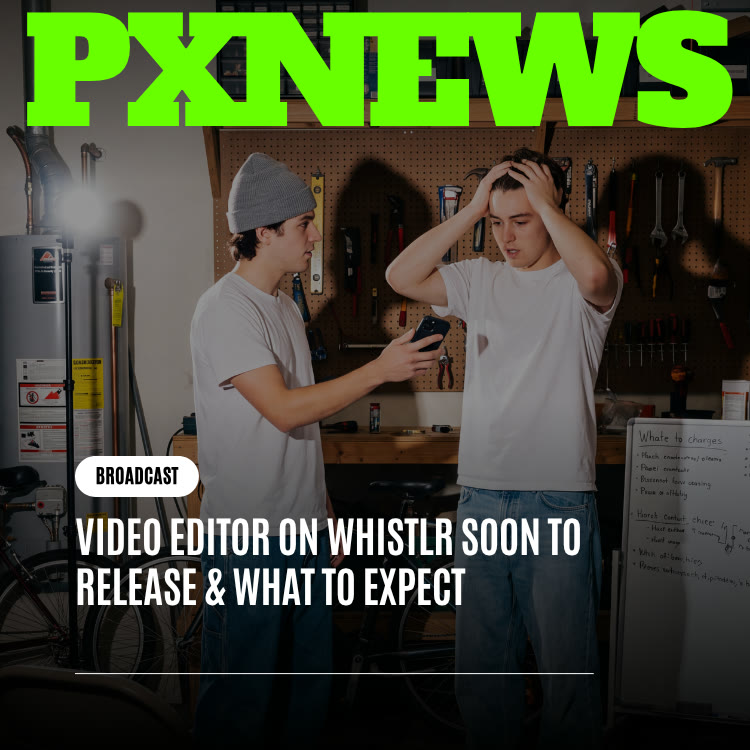
Video Editor on Whistlr Soon to Release & What to Expect
What to expect from the next Whistlr video editor: scene-based sequencing, shared projects, saved looks, and pacing assists, plus tips for today's editor.
The next version of Whistlr's in-app video editor is in development, and ETAPX has shared the direction ahead of release: better handling of long, multi-clip projects, editing a project with more than one person, saved looks for a consistent visual style, and pacing assists that suggest cuts without taking control. None of it is live yet, and there is no launch date. Everything in the current editor stays as it is. This preview covers what the editor does today, what is planned, and how to get the most out of it in the meantime.
What the Whistlr Video Editor Can Do Today
The upcoming update builds on an editor many creators already use daily to turn raw footage into a finished Mini without leaving the app. Before looking ahead, here is the current foundation.
- A real timeline: Edit projects up to 10 minutes long with three video lanes, so you can layer clips, overlays, and B-roll rather than working in a single strip.
- Auto captions: Generate captions from your video's speech, then restyle them with built-in caption styles.
- Audio tools: Search for music, add sound effects, and record a voiceover directly in the editor.
- Transitions: Place transitions between clips to smooth cuts or add energy.
- Text and stickers: Add text overlays and stickers to call out key moments.
- Effects: Apply visual effects to set the mood of a clip.
- Format controls: Crop, adjust the canvas and aspect ratio, rotate, and flip.
- Uploads: Bring in footage and media from your device.
The Minis camera adds its own capture tools, including Green Screen, Teleprompter, Touch Up, speed and timer controls, multi-clip recording, and beat-synced Templates. Together, the camera and editor cover most of what a short-form creator needs. For a broader overview, see the Minis page.
A Typical Editing Workflow Today
Here is how a creator might use the current tools from start to finish. They record several clips with the Minis camera, then open the editor and drop the best takes onto the main lane in order. Close-ups and cutaways go on a second lane so they can sit above the main footage. Next comes auto captioning, followed by a quick pass to fix any misheard words and pick a caption style. Music from the audio search goes underneath, with a sound effect or two on key moments. A few transitions smooth the joins, a text overlay names the topic at the start, and a format check confirms the video fills a vertical screen. A recorded voiceover adds context where the footage alone is not enough. The whole thing happens in one app, with no exporting between tools.
The Roadmap: Four Areas the Update Focuses On
ETAPX describes the update as a direction, not a finished feature list. For months, the same wishes have kept arriving from creators on the ETAPX Discord, through feedback sent inside the app, in comment sections, and in support tickets. Those requests fall into four themes: scale, collaboration, visual identity, and pacing.
Exact interfaces, names, and timing are not final, and parts of what is described here may change before release. That is normal for a preview shared this early. If you open the editor today and do not see any of the following, that is expected. The current tools remain in place while the next layer is designed on top of them.
The next editor is not a replacement. It is the same editor, built out to match how far creators have grown.
Scene-Based Sequencing for Longer, Multi-Clip Minis
The most frequent request is not about any single effect. It is about size. Creators who began with one short clip now assemble Minis from many pieces: a day-in-the-life built from a dozen moments, a tutorial broken into steps, a short story told across several scenes. Today's timeline can cope, but it was built with fewer pieces in mind. On a big project, locating a single clip for a small trim takes more scrolling, and keeping track of the overall structure gets mentally tiring.
The next version is expected to treat big projects as the norm rather than the exception. The ideas being explored include:
- Grouping clips into scenes: Bundle related clips so a large project turns into a handful of named sections rather than a long row of fragments.
- A whole-project overview: See the full structure of a Mini at a glance, not only the part currently on screen.
- Moving scenes as units: Rearrange an entire section without rebuilding transitions and timing by hand.
- Alignment that holds: Keep captions, music, and text in sync as a project grows longer.
The aim is room for larger projects without adding complexity, so the timeline stays approachable as it scales.
Who Benefits Most From Bigger Projects
Scene-level editing would help any creator whose videos are built from many short pieces. Tutorials and how-tos often move through distinct steps. Recipes jump between prep, cooking, and plating. Travel recaps string together places and moments. Product demos for business accounts usually cover an unboxing, close-ups, and the item in use. In each case, being able to treat a step or location as a single block would make reordering and trimming far quicker.
Shared Projects for Duos, Teams, and Business Accounts
The second theme is about people rather than tools. Many creators no longer edit alone. Two creators might build a video from both of their libraries. A small team behind a growing account might split the work, with one person shooting, another editing, and a third handling captions and posting. A business account working with a creator may want to review the final cut before it goes live.
The current editor is built around one person and one project, so these workflows involve sending files back and forth or watching over someone's shoulder. The next version is expected to let several people work inside one project, so partners can edit together, teams can divide tasks, and a collaborator can look over the cut before it publishes. The details of access levels, invitations, and approval steps are still being worked out. The goal is simple to state, though: one shared project instead of scattered copies, with everyone looking at the current cut.
Collaboration is already central to how creators work on Whistlr, a trend explored in Collaboration on Whistlr Has Been Key to Creator Content. Bringing it into the editor is a natural next step.
Saved Looks and a Consistent Visual Style
Caption styles and other presets already save time in the current editor. Creators want that convenience to extend beyond single elements to a video's entire feel, meaning its color, tone, and mood. Today, keeping a consistent style across many Minis comes down to discipline: reusing the same caption style and palette on every project and trusting viewers to notice the pattern.
Under exploration:
- Broader look presets: Starting points that change color, tone, and mood together in a single step.
- A saved personal style: Store a combination of choices you like and apply it to your next project without rebuilding it.
- Richer title styling: More options for headings and call-outs that need extra presence on screen.
Put simply, your signature style would live in the editor, ready for each new project, instead of in your memory.
Pacing Assists That Suggest, Not Decide
The final theme comes up in nearly every creator conversation: pacing. Good timing keeps viewers watching and poor timing sends them swiping, yet right now every trim and every cut relies solely on your own instincts, repeated across each project.
The assists under consideration would take on the repetitive part: pointing out highlights inside long footage, marking stretches that might drag, and proposing cut points that line up with music beats or natural pauses in speech. Think of them the way you think of auto captions today, as a draft you can edit rather than a decision made for you. Every suggestion would appear on the timeline as an ordinary element you can keep, tweak, or delete.
That matters on Whistlr specifically, because the Minis ranker weighs signals such as watch time. Tighter pacing helps people stay through to the end, which helps a Mini find more viewers.
How to Get More From the Current Editor While You Wait
You do not need to wait for the update to edit faster or better. These habits work with the tools available now.
- Plan in scenes before you shoot: Even without scene grouping, deciding on three or four sections in advance keeps a long project manageable.
- Use the three video lanes deliberately: Keep your main footage on one lane and use the others for overlays and B-roll so the timeline stays readable.
- Generate captions first, then trim: Auto captions show you exactly where speech pauses, which makes dead air easy to spot and cut.
- Pick one caption style and stick with it: Until saved looks arrive, consistency is a choice you make every time. Write down the style you use.
- Record voiceover last: Narrate once the cut is locked so your timing matches the final pacing.
- Front-load the hook: The opening seconds decide whether people keep watching, so put your strongest moment early.
- Check the format before export: Make sure the aspect ratio suits full-screen vertical viewing for Minis.
- Use drafts: Save work in progress so you can return with fresh eyes before posting.
For more ideas, see Save Time Creating and Create Engaging Content.
What the Update Means for Creators and Business Accounts
For creators, the planned changes point toward making ambitious Minis less time-consuming: longer sequences that stay organized, partners who can share the work, and a recognizable style that does not have to be rebuilt each time.
For businesses, a better editor feeds directly into commerce and advertising on Whistlr:
- Minis that sell: Business accounts can attach a Whistlr Go product or a link call to action to a Mini, so a well-paced product video leads straight to a purchase.
- Ad-ready vertical video: The Minis placement uses a full-screen 1080×1920 format, and Minis ads count a view after three seconds. Strong openings and clean pacing make that format work harder. The Learning Ads guide covers specs and placements.
- Brand consistency: Saved looks, once available, would help businesses keep every product video on brand.
- Team workflows: Shared projects could let a business and a creator, or several staff members, work on the same edit without passing files around.
Editing Product Videos That Convert
If you sell on Whistlr, a few editing choices make a noticeable difference with today's tools. Show the product clearly within the first moments rather than building up to it. Keep captions on, since many people scroll with the sound off and captions carry your message either way. Use a text overlay to name the item or the offer, and keep the video short enough that the call to action arrives before attention fades. Finally, attach the product from your Whistlr Go storefront so viewers who are convinced can act immediately.
How to Shape the Next Version With Your Feedback
Every direction in this preview began with creator input from the same places mentioned above. That channel stays open, and it matters most during the stretch between a preview and a release, when details are still flexible.
On timing, ETAPX has generally chosen to hold a new tool until using it feels effortless, matching the editor's existing tools, instead of shipping something early that fixes one issue and creates new ones. Creators rely on the editor every day, so a half-finished feature that slows down a familiar workflow would cost more than it adds. That is part of why no date has been attached to this preview. The best places to watch for news are PX News and in-app announcements.
The most useful feedback is specific. Instead of asking for a "better editor," describe exactly where your workflow slowed down: the project size where the timeline became hard to manage, the step you repeat on every video, or the handoff with a collaborator that went wrong. That kind of detail is what turns a request into a feature. For more on how ETAPX has been expanding creator tools, read Whistlr Just Leveled Up Creator Business Tools.
Frequently Asked Questions
What is coming in the next Whistlr video editor?
ETAPX has outlined four directions: scene-based handling of long multi-clip projects, shared projects for more than one editor, saved looks for a consistent style, and pacing assists that suggest cuts. Exact features, names, and timing are not final.
When will the new Whistlr video editor features be released?
There is no release date yet. ETAPX shared the direction early to gather feedback, and updates will appear on PX News and in the app when features are ready.
Will the update replace the current video editor?
No. It is the same editor with a new layer added on top. Auto captions, voiceover recording, music, transitions, text, effects, and the multi-lane timeline all remain.
Will my existing Minis and projects still work after the update?
Yes. The planned changes are additive, so published Minis stay as they are and saved work remains editable. Nothing in the preview involves removing or migrating existing projects.
How long can videos be in the Whistlr editor?
The current in-app editor supports projects up to 10 minutes long, with three video lanes for layering clips and overlays.
Does the Whistlr video editor have auto captions?
Yes. The editor can generate captions from the speech in your video, and you can restyle them with built-in caption styles before publishing.
The current editor proved that serious editing tools belong inside Whistlr, built around Minis rather than added as an afterthought. The next version aims to grow with the people using it: more room for bigger projects, a way to bring others in, a style that sticks, and a bit of support getting the timing right.