Community · August 15, 2026 · 12 min read
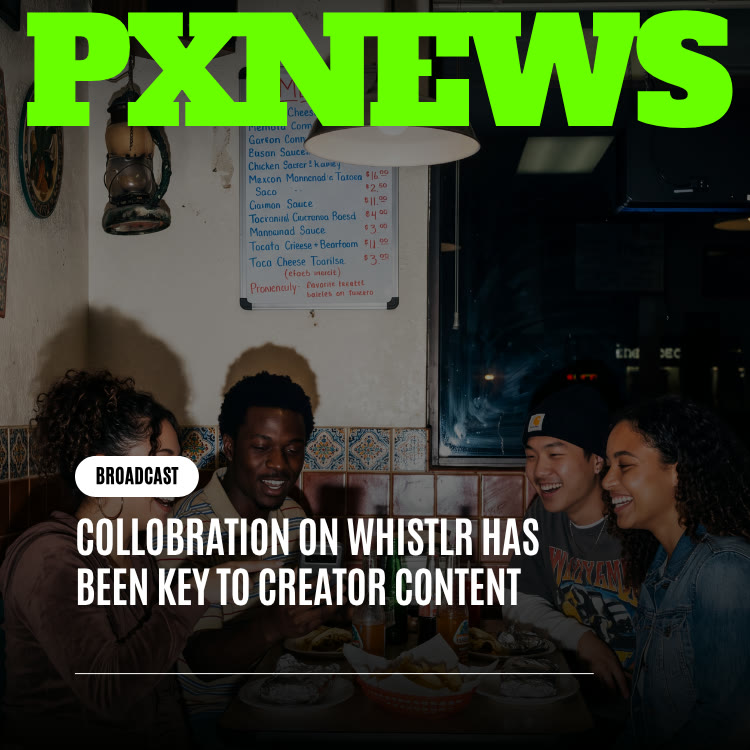
Collaboration on Whistlr Has Been Key to Creator Content
Why creator collaboration drives growth on Whistlr, every way to team up, from live co-hosts to collab tags and duets, and how to plan your next collab.
Collaboration has become one of the most reliable ways creators grow on Whistlr. When two or more creators make something together, whether it is a co-hosted live, a whistle tagged with collaborators, a duet-style reaction to a Mini, or a joint event in a Circuit, each person's peers meet someone new through a source they already trust. This article explains why team-ups work so well on Whistlr, every tool you can use to collaborate today, and how to plan one that actually pays off.
How Collaboration Became the Default Way to Create on Whistlr
Every social app begins with the same unit: one account, one face, one feed. Whistlr started that way too. What changed over time was not a single launch but a habit. Creators who teamed up once noticed the difference in their reach and in how much they enjoyed making the content, so they did it again. Then their peers started asking for more of it.
The first collaborations tended to be spontaneous, two friends going live together on a whim. Gradually they turned into something creators plan for. Today, when a creator sketches out a new idea, the question "who should I make this with?" often comes up as early as "what should I make?"
Plenty of platforms offer a co-host slot or a duet button. What stands out on Whistlr is how widely the instinct has spread: into live video, short-form video, posts, stories, and communities. Collaboration is less a feature creators reach for occasionally and more the default way they work.
Every Way to Collaborate on Whistlr Today
These tools sit on separate surfaces and serve separate creative purposes, but they share one idea: more than one voice usually makes better content.
- Live co-hosting: A live can have up to eight co-hosts, nine people on screen in total. Viewers can request to join, or you can invite guests directly. Learn more on the Live page.
- Live moderators: You can assign up to 20 moderators to a live, so a trusted collaborator can manage comments while you focus on the conversation.
- Collab with friends on posts and stories: When composing a whistle or a story, you can tag friends as collaborators so the content is credited to more than one person.
- Reactions and duets on Minis: Minis supports reaction recordings, including a side-by-side duet layout, so you can respond to another creator's video in your own.
- Mentions: Tagging another account in a whistle or caption points your audience straight to them.
- Circuits and SubCircuits: Communities with owner, moderator, and member roles, which makes it natural for several creators to run a space together or for two communities to host a crossover thread.
- Rooms: Live audio rooms for conversations where voices matter more than visuals.
- WildDraw: One-versus-one live battles with gifts, a friendly form of rivalry that pulls two audiences into the same moment.
For a deeper look at the creation tools themselves, see our guide to Whistlr's collaboration and content tools.
Why Team-Ups Travel Further on Whistlr
A Warm Introduction Beats a Cold Recommendation
When a creator brings someone onto their live or credits them on a post, they are vouching for that person in front of their own audience. A viewer who already trusts the host is far more open to the guest than they would be to a stranger appearing in their feed. That implicit endorsement is the biggest advantage of collaborating.
Collabs Produce the Signals Ranking Systems Notice
Whistlr ranks each surface on its own, with Minis, Chattr, Discover, and others weighing signals such as watch and dwell time, engagement rate, and how fast something is shared. The first hour after posting matters a great deal, and reposts count for more than likes. A collaboration launches with two audiences paying attention at once, which gives it a stronger start and more reasons for people to share it.
Two People Create Energy One Person Has to Fake
A solo creator talking to the camera has to generate all the momentum alone. Two creators bounce off each other with jokes, disagreements, and surprises nobody scripted. Viewers quickly sense whether they are watching an act or an actual exchange between people, and on Whistlr the genuine exchange keeps coming out ahead.
Bad Ideas Get Cheaper
Working alone, you commit to a concept before knowing if it lands, and a flop feels entirely yours. With a partner, you can abandon a bit that is not working halfway through, laugh it off, and try something else, and the pivot often becomes the best part. Lower stakes make experimenting easier, and creators who experiment more usually end up with stronger work.
Collaboration Patterns That Keep Showing Up
The Recurring Co-Host
Two creators who are not an official duo but appear in each other's lives every few weeks until their audiences treat them as a pair. These usually start with one collab that went well, then settle into a routine because neither creator wants to give up the bump.
Community Crossovers
Sometimes the partnership is between two communities rather than two people. A fitness SubCircuit and a meal-prep SubCircuit might run a shared thread for a week, or a Circuit about photography and one about travel might host a joint event. These last longer than individual pairings because they do not depend on two particular creators staying friends.
Reaction Chains
One creator posts a Mini, a second responds with a duet-style reaction, and a third reacts to that. Each response sends viewers back through the chain, introducing audiences to each other one video at a time.
Friendly Rivalries
WildDraw battles turn competition into collaboration. Both creators bring their supporters, both audiences see the other side, and the rivalry gives people a reason to return for a rematch.
The quickest route to new viewers runs through a creator they already believe in.
How to Plan a Collaboration That Works
Good collaborations look spontaneous on screen, but most of them have a little planning behind them. Here is a practical process.
- Pick a partner for fit, not just size: Look for overlapping interests with audiences that are different enough to be new to each other. A creator slightly smaller or larger than you is often a better match than the biggest account you can find.
- Start with a low-commitment format: A reaction to their Mini or a guest spot on your live is an easy first ask. Save bigger projects for after you know the chemistry works.
- Agree on the idea and the roles: Decide who hosts, who posts, and how long it runs. A quick group chat is enough to line this up.
- Choose the right tool: Use live co-hosting for conversation, a collaborator tag on a whistle or story for shared credit, a duet for call-and-response, or a Circuit thread for community events.
- Time it for both audiences: Check when your peers are most active in your insights and pick a window that suits both of you, since the first hour carries so much weight.
- Promote it from both accounts: Each creator should share it so both audiences arrive at once.
- Follow up: Thank your partner publicly, reply to comments together, and if it worked, set a date for the next one.
Collaboration Ideas to Try This Month
- Swap a skill: Teach your partner something from your niche on their live, then have them return the favor on yours.
- Answer each other's questions: Collect questions from both audiences ahead of time and answer them together in a co-hosted live using the Questions feature.
- Start a reaction chain: Post a Mini with a clear prompt and invite two or three creators to respond with duet-style reactions.
- Run a two-community challenge: Pair your SubCircuit with a related one for a week of shared threads and a live finale.
- Co-credit a story series: Document a shared day or project and tag each other as collaborators on every story.
- Hold a friendly rematch: If a WildDraw battle went well, schedule the rematch publicly so both audiences can plan to return.
Whichever idea you choose, a group chat with everyone involved makes it easy to settle dates and roles without long back-and-forth.
Collaboration Etiquette: Credit, Consent, and Moderation
- Always credit properly: Use the collaborator tag or a mention so your partner gets visibility from the content you made together.
- Ask before you add someone: Get agreement before tagging someone as a collaborator or inviting them on screen, and respect a no.
- Share moderation duties: In a live, make your partner a moderator or assign a trusted friend so neither host has to manage comments alone. You can pin a comment, hide or mute disruptive viewers, set hidden words for the live, and remove someone if needed.
- Protect each other's communities: Treat your partner's audience the way you would want yours treated. A collab should leave both communities better off.
- Keep it original: Build on each other's work rather than copying it. The Original Content Guidelines explain what counts.
Why Collaboration Matters Most for Creators Just Starting Out
The usual advice for new creators is to post consistently and wait. That advice is sound but slow, and it gives you little feedback early on. Collaboration offers a faster, friendlier on-ramp. One guest spot, one tagged post, or one reaction that lands can put you in front of a real audience that arrives already inclined to like you. Nobody is guaranteed to stick around, but you get a genuine chance to be seen, and early on that chance is scarce.
Established creators benefit too. Inviting someone newer onto a live costs little, keeps your own content fresh, and helps keep attention moving through the community instead of pooling at the top. Many creators see it as quiet mentoring, passed along through each shared project. For more growth tactics, see How to Grow.
How Businesses Can Work With Creators on Whistlr
Business accounts can collaborate with creators too, using the same everyday tools. A few examples:
- Bring a creator onto a Live Shopping session: Live Shopping takes place inside a live, and lives support co-hosts, so a creator can join as a guest while you pin products for viewers to buy.
- Credit each other on posts: Use the collaborator tag or mentions so a joint post shows up for both audiences.
- Host community events together: A business and a creator can co-run a thread or challenge in a Circuit that suits both.
A business account also brings practical advantages to a collaboration. Pinned products in a live give viewers a direct way to act on a creator's recommendation, and a Mini with a Whistlr Go product attached can carry that recommendation beyond the live itself. If a joint post published from the business account performs well, the business can Boost it from its own account to extend its reach to more people.
Keep in mind what Whistlr does and does not offer. There is no built-in creator marketplace or partnership ad format, so arrangements between businesses and creators are made directly between the two. Learn more about selling live on the Live Shopping page.
How to Tell Whether a Collaboration Worked
Verified accounts can use the professional dashboard to see the effect of a collab rather than guessing.
- Views from non-peers: The Views section splits views between peers and non-peers. A spike in non-peer views is direct evidence you reached a new audience.
- Accounts reached and engaged: Compare these to your usual posts to see whether the collab traveled further.
- Follower growth: Check follows and unfollows over the days after the collab to see who stayed.
- Interactions by type: More reposts and comments suggest the collab sparked conversation, not just passive views.
- Top fans: See whether new names appear among your most engaged accounts.
Use 7, 14, 30, or 90 day ranges to compare a collaboration window with a normal stretch. Look at the most active times data as well: if a collab drew a new audience, you may find your best posting window has shifted, which is useful when planning the next one. The Insights page explains each metric.
Frequently Asked Questions
How do I collaborate with another creator on Whistlr?
You can invite them to co-host your live, tag them as a collaborator on a whistle or story, react to their Mini with a duet-style recording, mention them in a post, or run a joint thread or event in a Circuit. Start with a small format and build from there if it goes well.
How many people can join a Whistlr live at once?
A Whistlr live supports up to eight co-hosts, for nine people on screen in total. You can also assign up to 20 moderators to help manage comments.
Do collaborations help small creators grow?
Often, yes. A collaboration introduces you to an audience through someone they already trust, which tends to work faster than waiting to be discovered. It does not guarantee lasting growth, but it gives newer creators a fair first look.
Can businesses collaborate with creators on Whistlr?
Yes. A business account can invite a creator to co-host a live, including a Live Shopping session, and the two can credit each other on posts. Whistlr does not have a creator marketplace or partnership ads, so terms are arranged directly between the business and the creator.
How do I know if a collab worked?
In the professional dashboard, compare views from non-peers, accounts reached, follower growth, and interactions during the collab with your usual results. A clear jump in non-peer views and new follows is a strong sign you reached a new audience.
What is the best format for a first collaboration?
A low-commitment format is easiest, such as a reaction to the other creator's Mini or a short guest spot on a live. It lets you test the chemistry before planning anything larger.
Nobody planned for collaboration to define Whistlr's creator culture. It happened because creators kept finding that working beside others improved what they made. If you have an idea worth making, the next step might be as simple as asking who you want to make it with.