Product · August 13, 2026 · 12 min read
Giving Streamers More Flexibility on the Go
How Whistlr supports IRL mobile streaming: stay watchable while you walk, keep chat in reach, change locations mid-stream, and keep earning Gems on the go.
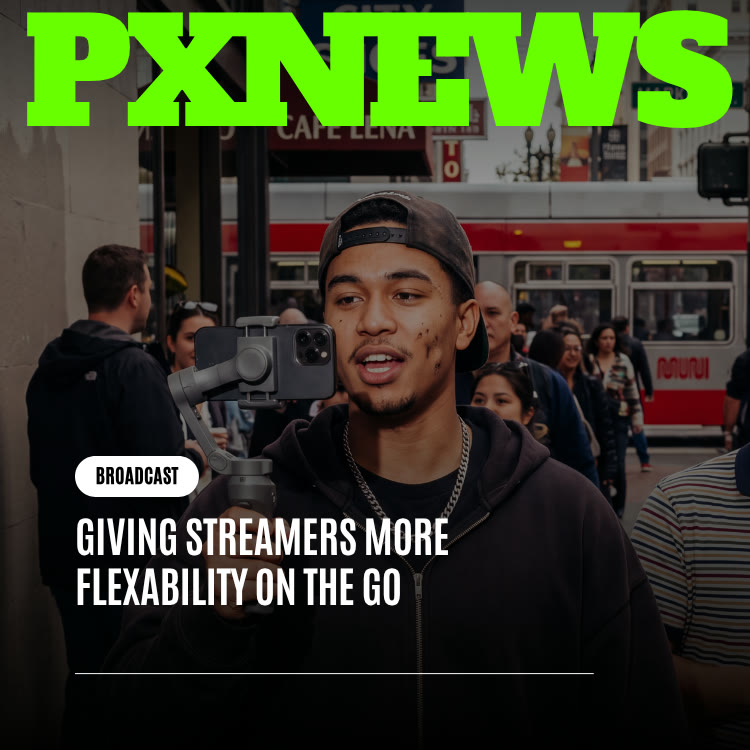
Flexibility on the go means you can keep moving once you are already live on Whistlr: walking down a street, hopping on a bus, ducking into a shop, without ending the broadcast or losing your audience. It is aimed at IRL streamers who hold a phone and follow the moment, and it focuses on three things: staying watchable in motion, keeping chat within reach, and carrying one continuous stream through changing places. This guide explains what that means, how to set up a mobile stream, and how to keep earning while you roam.
What IRL Mobile Streaming Is and Why Viewers Love It
IRL streaming, short for "in real life," means broadcasting from wherever you happen to be rather than from a fixed setup. Instead of a desk, a ring light and a backdrop, the stage is a city block, a food market, a hiking path or a road trip. Plenty of creators now prefer it, and the reason is not production value. It is presence.
A studio stream is a show that happens in one room for an audience somewhere else. A mobile stream is an invitation to come along. Viewers do not describe it as watching. They describe it as walking with someone, riding along or exploring a place through someone else's eyes. Nobody knows what will happen next, including the streamer, and that uncertainty is the whole appeal: a busker nails a hard song, the sunset arrives early, someone on the sidewalk cracks a joke.
You cannot book those moments in advance, and a camera bolted to a desk will never catch them. For a growing share of creators, movement is not a bonus feature. It is the format.
Going Live Fast Versus Staying Live While Moving
It helps to separate two different problems. The first is how quickly you can start a stream: fewer taps and better defaults between "I should stream this" and actually being live. Whistlr tackled that in an earlier update, covered in Live Streaming on Whistlr Just Got a Boost.
The second problem starts after you hit go. Can you keep walking without the picture turning into a shaky blur? Will viewers stick around when you hop from a park to a café to a train within half an hour? Will you be able to read a comment at a crosswalk and reply on an escalator, without it feeling like a technical juggling act? That second problem is what this update targets. Starting fast covers the first few seconds. Staying flexible covers every minute after.
Desk streaming and mobile streaming are simply different jobs. A fixed setup is built for consistency: the same light, the same angle, the same background every time. A mobile stream has to stay watchable while those conditions change constantly. The goal is for the stream to keep pace with the streamer, rather than the streamer bending their route to suit the stream.
Starting fast covers the first few seconds. Staying flexible covers every minute after.
Staying Watchable While You Walk
Anyone who has filmed themselves walking and talking knows the first problem: a phone held loosely picks up every step and turn, and viewers do not experience that as excitement. They experience it as motion sickness. Whether people stay or swipe away often depends on one thing: how calm the image looks while the person filming is constantly on the move.
Whistlr's approach to on-the-go streaming is built around the simplest setup: one person, one phone, often one hand. No gimbal, rig or second operator should be required to keep the stream comfortable to watch. Great mobile streams feel easy because the creator has stopped worrying about the lens and is simply paying attention to the route.
A practical tip while you wait for the stream to feel natural: hold the phone a little lower and closer to your body than you would for a selfie, keep your elbow bent and tucked in, and walk at a slightly slower pace than usual. Small adjustments like these cut down on bounce far more than people expect, and they also make the stream easier to sustain.
Framing Without a Mirror
A desk setup is framed once and left alone. Walking changes that: the gap between your face and the lens shifts, the angle drifts and the background keeps changing. Every glance down to check how you look is a moment you are not looking at the world you are sharing, so the more you can trust your framing, the better the stream.
The Physical Side of Streaming on Foot
Mobile streaming is surprisingly physical. Your arm gets tired, you may be holding a drink or a bag, and the phone is in your hand for long stretches. A stream built for the move has to be comfortable to sustain for a long walk, not just possible for a short demo.
Keeping Chat Close Without Stopping
A stream that looks great but cuts you off from your audience has lost what makes live content live. Chat turns a broadcast into a conversation, and IRL streamers have to keep that conversation going even while their hands are occupied getting them from one place to the next.
In practice, that means spotting a comment with a quick glance, reacting to viewers on the fly as you navigate stairs or a crowd, and seeing new arrivals and milestones surface naturally rather than demanding a full stop. Viewers often spot things before you do: something interesting in the background, a landmark up ahead, a question about where you are now. Those moments only work if the gap between what happens around you and what you can see in chat stays small.
Let Your Team Handle the Room
You cannot moderate a busy chat while crossing a road. Whistlr's live tools let you share the load:
- Moderators: you can make trusted viewers moderators, up to 20 per live, so they can hide comments, mute commenters and remove people while you keep walking.
- Hidden words: set words to filter for the live before you head out, so the worst comments never reach the screen.
- Pinned comments: pin a message that answers the question everyone asks, such as where you are headed today.
- Co-hosts: invite up to eight co-hosts to join you, which works well for a friend streaming from another part of the same event.
For more on keeping your space healthy, see how to manage unwanted interactions.
Handling Light, Crowds and Location Changes
Mobile streaming means agreeing to constant change. Shade from a tall building can drop the brightness in a step. An empty alley can spill into a crowded plaza. A strong connection outside weakens once you are deep inside a building. Shifts like these come with the territory of an unplanned route, so the live experience needs to roll with them instead of making the streamer act as their own technical director.
Ideally the stream handles those changes on its own while you keep your eyes on the road. Here is what the update is designed to provide:
- Stability in motion: walking, riding or squeezing past people while the image stays easy on the eyes.
- Chat that stays glanceable: messages and reactions visible at a glance, even when both hands are busy.
- Graceful handling of conditions: moving from bright to dim or quiet to crowded without stopping to adjust settings by hand.
- One continuous broadcast: entering a shop, boarding a train or rounding a block should feel like one stream, not a string of restarts.
- Comfort over the long haul: a setup that holds up for a long wander, not just a quick clip.
Do Not Skip the Quiet Stretches
The parts of a trip that seem boring on paper, like standing on a platform, strolling between destinations or idling at a red light, often produce the best IRL segments. Seasoned mobile streamers treat these lulls as prime chat time, because with nothing staged, conversation fills the space naturally. A stream that stays steady through transit keeps those moments alive.
How to Set Up an IRL Stream on Whistlr
A little preparation makes a mobile stream far smoother. Here is a simple routine.
- Charge everything: start with a full battery and bring a power bank. Long walks with the screen on drain a phone quickly.
- Plan a loose route: pick a starting point and a few possible stops, but leave room for detours your chat suggests.
- Set up protections first: add hidden words for the live and line up one or two moderators before you leave the house.
- Turn on Gems and set a goal: enable Gems so viewers can support you, and add a Gems goal to give the stream a shared target.
- Go live from the create menu: choose LIVE and give the stream a title that tells people where you are going.
- Pin a comment early: a short note about the plan answers the first wave of "where are you?" questions.
- Use interactive tools on breaks: when you stop for a coffee, run a poll about where to go next or open Questions so viewers can ask you anything.
- End on purpose: thank your audience and tell them when you will be out again, rather than just cutting off when the battery runs low.
If you prefer dedicated hardware, verified accounts can use Studio Set, which provides an RTMP server URL and stream key for broadcasting from an external encoder. Streamers who want a separate, streaming-focused app can also look at the Whistlr Studio app.
Earning on the Move: Gems, Live Shopping and Storefronts
Being mobile does not reduce what a stream can earn. A broadcast from a moving bus has the same access to WTC Gems as one from a studio desk, so viewers can show support the moment something great happens. Whistlr keeps 15% of Gem revenue, and you need a payout account set up before you can publish Gems.
For business accounts, mobile streams open a different kind of selling. Studio streams usually revolve around set pieces, like a product reveal at a fixed time. An IRL stream earns in the moment because the audience is reacting to something real as it unfolds. That makes it well suited to:
- Pop-ups and markets: stream from your booth and pin the products people are looking at with Live Shopping, so viewers can tap "Shop now."
- Behind-the-scenes tours: walk viewers through your workshop, kitchen or studio, then point them to your Whistlr Go storefront.
- Sourcing trips: take your audience along as you pick materials or stock, which builds anticipation for what lands in the store.
- Event coverage: bring followers to a show or festival your brand is part of, with co-hosts covering different areas.
Gear and Settings That Make Mobile Streams Easier
You do not need special equipment, but a few inexpensive additions make long IRL streams noticeably better:
- A power bank and short cable: keep the phone topped up without a cable dangling across the shot.
- A wrist strap or grip: reduces the risk of a dropped phone and eases hand fatigue on long walks.
- Wired or wireless earbuds with a mic: keeps your voice clear over traffic and wind, and lets you hear yourself.
- Brightness on high: outdoor glare makes chat hard to read, so turn screen brightness up before you start.
- Do Not Disturb for personal notifications: keep private messages from other apps from interrupting the broadcast.
Staying Safe and Respectful While Streaming in Public
Streaming in public comes with responsibilities that a desk stream does not. A few habits protect you and the people around you:
- Do not broadcast where you live: start and end streams away from your home, and avoid showing street signs or building numbers near it.
- Respect bystanders: avoid lingering on people who have not agreed to be on camera, and move on if someone asks.
- Follow venue rules: some shops, venues and events do not allow filming. Ask when in doubt.
- Stay aware of traffic: stop walking before you read or reply to anything long. No message is worth a missed curb.
- Know the community standards: Whistlr is for adults 18 and over, and live streams follow the same community guidelines as everything else on the platform.
Frequently Asked Questions
What is on-the-go streaming on Whistlr?
It is the ability to keep moving after you go live, walking, riding or changing locations, while your stream stays watchable, your chat stays within reach and your audience stays with you through one continuous broadcast.
Do I need a gimbal or special gear to stream while walking?
No. On-the-go streaming on Whistlr is designed around a single person holding a phone. A power bank is a smart addition for long streams, and verified accounts that prefer dedicated hardware can broadcast from an encoder using Studio Set.
How is this different from making it faster to go live?
Faster go-live shortens the setup before a broadcast. On-the-go flexibility covers what follows: staying stable in motion, keeping chat close and moving between places without ending the stream.
Can I earn Gems during a mobile stream?
Yes. Mobile streams have the same access to WTC Gems as stationary ones. Whistlr takes a 15% fee on Gems, and you need a payout account set up before publishing them.
Can business accounts sell products during an IRL stream?
Yes. Business accounts can use Live Shopping to pin products during a live, so viewers can tap through to shop while you are out at a market, pop-up or event.
How do I manage chat when my hands are busy?
Assign moderators before you go live, set hidden words for the stream, and pin a comment that answers common questions. Moderators can hide comments, mute commenters and remove people so you can focus on where you are going.
Going live should not mean staying put. For creators whose whole style is built on exploring, being able to move freely mid-stream is what makes a simple errand, commute or day out into something an audience wants to join, no matter how many backdrops it passes through. Plan a loose route, set up your protections, and let the moment lead. For the bigger picture on Whistlr live, start with the Live overview.