Product · August 15, 2026 · 12 min read
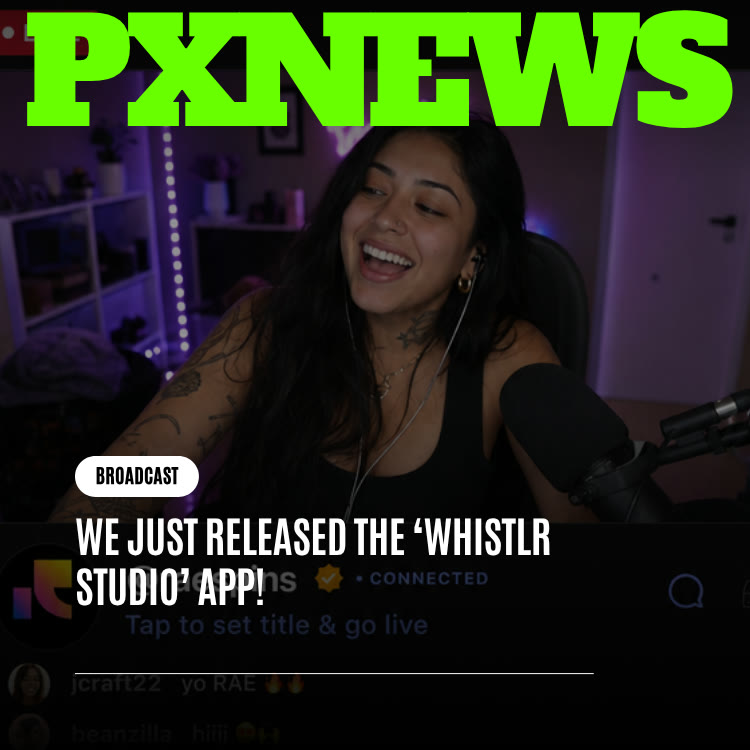
We Just Released the 'Whistlr Studio' App!
The Whistlr Studio app is here on iOS. Learn what the standalone streaming companion does, how it connects to your Whistlr account, and how to get set up fast.
Whistlr Studio is now its own app. The standalone Whistlr Studio app, available first on iOS, gives creators a dedicated space for streaming and the business of streaming, separate from the main Whistlr feed. You sign in with the Whistlr account you already have, so there is no second profile to build, and your broadcasts, peers, and earnings stay connected to the same identity. Here is what the app is for, how it fits alongside Whistlr and the web dashboard at whistlr.studio, and how to get your first stream running.
What the Whistlr Studio App Is
Whistlr Studio is the creator and streaming side of the Whistlr ecosystem, given a front door of its own. Instead of reaching your streaming tools through menus inside a social app built for scrolling, you open an app whose only purpose is helping you run your show.
The idea follows the move that took Creator Studio to its own home at whistlr.studio earlier in the same week. That shift showed that a tool with a clear job gets better, not smaller, when it stops sharing space with a feed. Whistlr Studio carries that thinking over to the phone in your pocket. If you missed that announcement, read Whistlr Creator Studio Just Launched for the background.
It is worth being clear about what this release is and is not. It is not a new account system and not a separate platform. Your audience still finds your streams on Whistlr, including in Flow, the live hub. Whistlr Studio is the place where you prepare, manage, and grow those streams.
Why Streaming Tools Deserved Their Own App
Every creator knows the problem. You open Whistlr to check your stream setup, a notification pulls you into a reply thread, a Mini catches your eye, and ten minutes later your setup is still half finished. That is not a flaw in any one feature. A social feed is designed to draw your attention outward, and production work needs your attention to stay put.
Separating the streaming tools from the feed solves that in a simple way. When you open Whistlr Studio, there is no feed to fall into. The only reason to open it is to work on your stream, and that clarity tends to turn good intentions into finished work.
When the only thing an app can do is help you run your stream, you stop opening it to scroll and start opening it to work.
There is a practical benefit too. Creators who stream regularly treat it as a business, with recurring schedules, supporters to thank, and revenue to track. Business tools work better in a calm environment built for focused sessions than in the busy, reaction-driven environment of a consumer feed.
What You Can Do With Whistlr Studio
Whistlr Studio brings together the tools Whistlr has built for people who stream seriously. The core pieces:
- Studio Set credentials: Your Studio Set is the RTMP server URL and stream key that let you broadcast to Whistlr from encoder software such as OBS on a desktop. Keep your stream key private, since anyone who has it can broadcast to your channel.
- WTC Gems setup: WTC Gems are the live gifts viewers send during your streams. You can publish up to 15 gems, price each between $0.99 and $500, choose from a large set of icons such as Rose, Crown, and Rocket, and rename gems to fit your community's style. A payout account is required before gems can be published.
- Live earnings insight: Track how your streams earn with metrics such as gross volume, WTC Gem revenue, supporter rate, average gem value, and your top supporters.
- Session awareness: Keep an eye on real-time activity during a broadcast, including viewers, chat, and incoming gems.
The interactive features your audience sees during a broadcast still run on Whistlr Live: up to 8 co-hosts, up to 20 moderators, pinned comments, Questions, polls, a gems goal, and moderation controls such as hidden words for the stream. Our Live guide covers those in detail.
Whistlr Studio, Creator Studio, and the Main App: Who Does What
With several similar names in play, here is a simple way to keep them straight:
- The Whistlr app: Where you post whistles on Chattr, shoot and edit Minis, share Stories, and go live from your phone. The built-in video editor, which handles clips up to 10 minutes across three video lanes, stays here.
- The Whistlr Studio app: Your dedicated mobile space for streaming setup, gems, and stream performance, without the feed.
- whistlr.studio on the web: The browser home for Creator Studio, suited to longer sit-down sessions on a larger screen.
- Business Suite: For verified business accounts, the Creator Studio section of Business Suite brings together Analytics, WTC Gems, and Studio Set alongside your storefront and ads tools.
Everything connects back to one Whistlr account. You choose the surface that fits the task in front of you.
How to Get Started With the Whistlr Studio App
Getting set up takes a few steps, most of which you only do once:
- Get your account ready: Studio Set is unlocked through business verification, which uses Stripe Connect and has no minimum peer count. Reviews usually take 24 to 72 hours. See getting verified for the details.
- Download the app on iOS: Find Whistlr Studio on the App Store and install it on your iPhone.
- Sign in with your Whistlr account: Use the login you already have. There is no new registration and no separate password.
- Copy your Studio Set: Grab your RTMP server URL and stream key and paste them into your encoder software.
- Connect a payout account: Set up payouts through Stripe so you can publish WTC Gems.
- Publish your gems: Pick icons, set prices, and rename them if you want a custom theme. Consider setting a gems goal for your next stream.
- Go live: Start your broadcast, invite co-hosts or moderators if you need them, and keep an eye on activity as it comes in.
Why the App Launched on iOS First
Whistlr Studio is starting on iOS, and an Android version is planned to follow. That order mirrors earlier ETAPX launches: Ocsidian is exclusive to Apple devices, and Influxx shipped on Apple platforms ahead of others. The company tends to tune performance-sensitive tools on a single, well-understood set of hardware before adapting them for the wider variety of Android devices.
Launching on one platform first is not a statement that Android creators matter less. It is a way to get the experience right in one place, so that when it reaches more devices it arrives polished rather than rushed. For the longer story behind this approach, read why ETAPX leans toward iOS and macOS for its releases.
What It Means for Creators and Businesses
For creators who stream, Whistlr Studio turns stream management into a focused habit rather than a detour through the feed. That matters most for the sit-down work streaming really needs: preparing a broadcast, refreshing your gem lineup before a big event, or reviewing which streams brought in the most support.
For business accounts, streaming connects directly to revenue. Live Shopping lets business accounts pin products during a broadcast with a Shop now button, so viewers can buy without leaving the stream. Learn more in our Live Shopping guide. Combined with WTC Gems, which carry a 15% Whistlr fee, a well-run stream can support both product sales and direct support from your audience.
- Less context switching: Business tasks happen in a space without social distractions.
- Clearer stream economics: Supporter and gem metrics help you see which formats your audience values.
- Professional broadcasts: Studio Set lets you use desktop encoders with your own scenes, overlays, and camera setups.
For a small brand, that combination can turn a weekly stream into a dependable sales and community moment. A boutique might host a try-on session with pinned products, a food business might stream a recipe demo, and a musician might run a listening party with a gems goal. The tools are the same; what changes is how you shape the hour around your audience.
Tips for Your First Stream With Whistlr Studio
- Test before you announce: Run a short private check of your encoder settings so your audio and video are right before peers arrive.
- Brief your moderators: Tell your mod team what your chat should feel like and which words to watch for, and add hidden words for the stream.
- Set a visible gems goal: A clear goal gives viewers a reason to take part and a shared moment to celebrate.
- Thank supporters by name: Use your top supporters list to recognize the people who show up for you.
- Review afterward: Look at what the stream earned and how many supporters joined, then adjust your next one.
- Keep the first one short: A shorter debut stream lets you learn your setup without fatigue. You can stretch future broadcasts once you are comfortable with your encoder and your moderation flow.
- Tell your peers in advance: Post a whistle or a Story a day ahead so the people who follow you know when to tune in.
To get more out of live gifts, read our guide to earning with gems.
Planning a Regular Streaming Schedule
A dedicated app makes it easier to treat streaming as a routine instead of a spur-of-the-moment decision. Audiences tend to show up more reliably when they know when to expect you, and a little planning goes a long way.
Pick Your Anchor Streams
Choose one or two recurring time slots you can commit to every week. Check the Most active times panel in the Followers section of your insights to see when your peers are usually on Whistlr, and try to line up at least one slot with that window.
Use the Planning Calendar
Business accounts have a planning calendar in the Whistlr for Business dashboard where you can map out live events, product drops, campaigns, and meetings in one view. Putting streams on the same calendar as your product launches helps you spot natural pairings, such as a Live Shopping session on the day a new item arrives in your storefront.
Give Each Stream a Purpose
Not every broadcast needs to be the same. Rotate between formats: an open hangout, a Questions session where viewers ask you anything, a co-hosted stream with another creator, or a product showcase. Varied formats give regulars a reason to come back and give newcomers several ways to discover you.
Prepare Before You Go Live
Use Whistlr Studio during the quiet hours before a stream to check your encoder settings, refresh your gem lineup, and decide on a gems goal. Doing that prep away from the feed keeps the hour before a broadcast calm and focused.
Keeping Your Account and Stream Secure
A stream key is effectively a password for your channel, so treat it with the same care. A few habits help protect your broadcasts and your earnings:
- Never share your stream key on screen: Hide your encoder's settings window before you start capturing your desktop.
- Use a strong password: Whistlr passwords need at least six characters, including a capital letter and a special character. Longer and less predictable is better.
- Set up your security question: Whistlr uses a secret question for password resets, so choose an answer only you would know.
- Sign out of devices you no longer use: If you have streamed from a shared computer, use the option to sign out of all devices.
- Lean on moderators: Moderators can mute commenters, hide comments, and remove people from your live, so problems get handled without you stopping the show.
Our guide to protecting your account covers more of the settings available to you.
What Comes Next for Whistlr Studio
Today's release is a starting point for the standalone app, not a finished product. Android is on the way, and the app will keep evolving based on how creators actually use it outside the main Whistlr experience, since habits in a dedicated tool are rarely identical to habits inside a feed.
The bigger direction is one ETAPX has been moving toward on purpose: a Whistlr ecosystem made of focused tools that all connect to one account, instead of one app trying to do everything at once. Creator Studio's move to whistlr.studio and the Whistlr Studio app are both part of that pattern, and when another tool grows ready for independence, expect it to get the same treatment.
Frequently Asked Questions
What is the Whistlr Studio app?
Whistlr Studio is a standalone iOS app for creators who stream on Whistlr. It gives you a dedicated space for streaming setup, WTC Gems, and stream performance, separate from the main Whistlr feed, and it uses your existing Whistlr account.
Does Whistlr Studio require a new account?
No. You sign in using your current Whistlr login. There is no new registration or second password, and your activity stays tied to your existing Whistlr identity.
Is Whistlr Studio available on Android?
Whistlr Studio launched on iOS first. An Android version is planned to follow once the experience has been tuned on iPhone.
How do I stream to Whistlr from OBS?
Use your Studio Set, which is the RTMP server URL and stream key for your account. Paste both into your encoder software, such as OBS, and start streaming. Studio Set is unlocked through business verification.
What is the difference between Whistlr Studio and Creator Studio?
Both are part of the same creator toolkit. Creator Studio lives on the web at whistlr.studio and inside Business Suite for verified business accounts, while the Whistlr Studio app gives you those streaming tools on your phone in a dedicated app.
How much does Whistlr keep from WTC Gems?
Whistlr takes a 15% fee on WTC Gems. You can publish up to 15 gems priced from $0.99 to $500, and you need a payout account connected before you can publish them.
Streaming well takes focus, and focus is hard to find inside a feed. Download Whistlr Studio on iOS, sign in with your Whistlr account, and give your next broadcast a workspace built for it.