Product · August 13, 2026 · 12 min read
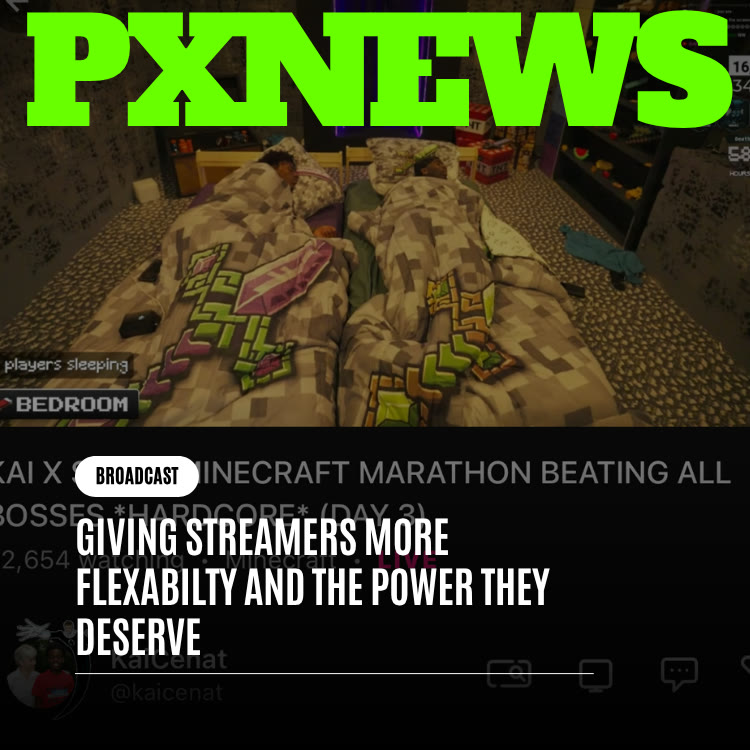
Giving Streamers More Flexibility and the Power They Deserve
Whistlr streamers get real control: moderators, hidden words, co-hosts, encoder streaming, and gems. Learn how to run long, on-brand live streams your way.
On Whistlr, flexibility for streamers is about more than how quickly you can go live. It is about the authority you have once the stream is running: who is allowed to talk in your chat, how your broadcast looks, and whether a long session stays under your control from the first minute to the last. Whistlr Live gives streamers their own moderation team, per-stream hidden words, co-hosts, interactive tools, and the option to broadcast from professional encoder software. This guide explains each of those controls and how to use them to run your show on your terms.
What Flexibility Means After You Hit Go Live
Streaming flexibility usually gets discussed in two ways. One is speed: how few steps stand between an idea and a live broadcast. The other is mobility: whether you can keep streaming while you move around instead of sitting at a desk. We covered that second theme in giving streamers more flexibility on the go.
This article is about a third kind, and arguably the one that matters most for anyone building a real community: control. Getting live quickly is great. Streaming from anywhere is great. Neither helps much if, once your audience arrives, you cannot shape the room they walked into.
Creators who have streamed for months or years know the difference between cosmetic options and actual authority. Choosing a background is decoration. Deciding who can talk in your chat, setting standards for how people treat each other, and making the broadcast look and feel like your brand are decisions that change how your stream works as a business.
Your Chat Is Your Room
Once a broadcast starts, the chat running beside your video is not neutral territory. People came for your particular mix of humor, energy, expertise, or calm. The culture of your chat, including its in-jokes, its tone, and how it welcomes newcomers, is something you built, and it deserves protection.
Community Guidelines Are the Floor
Whistlr's community guidelines apply to every stream. They set the baseline that keeps the platform safe for everyone, and that baseline is important. Still, a minimum is not a maximum. Platform-wide rules cannot know that your comedy stream thrives on friendly roasting while someone else's wellness stream needs to stay gentle and quiet. They are not meant to.
Your Standards Sit on Top
What streamers deserve is the freedom to layer personal standards over that baseline, tailored to the specific community they serve. A competitive gaming stream, a slow crafting session, and a product showcase all need different guardrails. On Whistlr, you decide what yours are and you have the tools to enforce them in real time.
The platform sets the floor. You decide what the room above it feels like.
The Moderation Tools Whistlr Streamers Control
Here is what you have to work with during a Whistlr Live broadcast. See our full Live guide for walkthroughs of each.
- Moderators: Appoint up to 20 moderators for your live. You can make someone a moderator directly from the stream.
- Hidden words: Set words that are hidden from your live chat, so you can filter out terms that do not belong in your room.
- Mute a commenter: Quiet a disruptive viewer without ending the conversation for everyone else.
- Hide a comment: Remove a single message from view when it crosses a line.
- Remove from live: Take someone out of the stream entirely when muting or hiding is not enough.
- Report: Flag content that breaks Whistlr's rules so it can be reviewed beyond your stream.
Building a Moderation Team You Trust
No one can read every message in a fast chat while also playing a game, talking to a co-host, or running a product demo. That is why your moderation team matters so much. Moderators are an extension of your judgment: people you choose, brief, and trust to make the calls you would make. Appointing them is not giving up control. It is how control scales once an audience gets big.
A few habits help a mod team work well:
- Write down your standards: A short list of what is welcome and what is not keeps everyone consistent.
- Agree on escalation: Decide when to hide, when to mute, and when to remove, so reactions are proportionate.
- Cover your schedule: For long streams, make sure moderators are spread across the hours you will be live.
- Debrief afterward: A quick chat after a stream about what worked helps the team improve.
Hidden Words Are Per Stream
Hidden words on Whistlr apply to the live you set them for. Get in the habit of reviewing your list before each broadcast, especially if you are covering a topic that tends to attract a particular kind of spam or hostility. For broader account-level privacy options, including who can mention or tag you, read take control of your experience.
Shaping the Conversation, Not Just Policing It
The best moderation often happens before anything goes wrong. A streamer who sets a clear tone and gives the chat good things to do spends less time putting out fires. Whistlr Live includes tools for exactly that:
- Pinned comments: Pin a message to set expectations, share the plan for the stream, or highlight a great contribution from a viewer.
- Questions: Open an "Ask me anything!" style Questions session so viewers can submit questions you answer on stream.
- Polls: Let your audience vote on what happens next, which keeps people engaged and invested.
- Co-hosts: Bring up to 8 co-hosts into your live, for 9 people on screen in total. Viewers can request to join, and you can invite people directly.
- Gems goal: Turn on gems and set a visible goal that gives the community something to work toward together.
These tools let you set your community's culture yourself rather than inheriting a generic default. Regulars learn what to expect, and newcomers pick up the vibe quickly.
Going Long: Planning Marathon Streams
Plenty of standout streaming moments arrive hours in, once viewers have found their groove and something unplanned takes off. Marathon streams, such as all-day events, overnight hangouts, and extended themed sessions, are where many creators produce the clips people remember. Whistlr's view is that choosing a long format should let you concentrate on the show, not on the platform underneath it. Long streams still take preparation, though, and the creators who run them well tend to follow a few practices.
Prepare Your Setup
If you stream from a computer, use encoder software you know well and test your settings before the big day. A stable internet connection and a power source you trust matter more over twelve hours than over twenty minutes.
Rotate Your Moderators
Plan moderator shifts the same way you would plan staff shifts for a long event. Fresh eyes catch problems a tired moderator might miss.
Build in Segments
Break a long stream into blocks: a Questions hour, a poll-driven segment, a co-hosted stretch, a product showcase. Segments keep energy up and give viewers natural moments to join.
Keep Newcomers Oriented
Over a long stream, people arrive at every hour, and many will have missed the start. Update your pinned comment as the stream moves through its segments so a new arrival can tell at a glance what is happening and what is coming next. A quick verbal recap at the top of each hour does the same job and gives your regulars a moment to welcome the new faces. Moderators can help here too by answering common questions in chat so you can stay focused on the show.
Take Care of Yourself
Plan breaks, hydrate, and let a co-host carry the stream for a few minutes when you need it. A sustainable marathon is a better marathon.
Making the Broadcast Look Like Your Brand
A stream that looks identical to every other stream is the platform's template with your face on it. Real ownership means your broadcast reflects your visual identity.
Stream From Your Own Encoder
Verified business accounts get a Studio Set, which is the RTMP server URL and stream key that lets you broadcast to Whistlr from encoder software such as OBS. That opens up everything a desktop setup can do: your own scenes, overlays, camera angles, transitions, and branded graphics designed exactly the way you want. Your stream key is private, so keep it off screen and never share it.
Make Your Gems Your Own
WTC Gems, the live gifts viewers send, can be renamed to match your community's language. You choose the icons and set the prices, up to 15 gems from $0.99 to $500. Custom gem names are a small detail that makes your stream feel like your space rather than a generic one. Learn more in our guide to earning with gems.
Consistency Builds Recognition
Use the same colors, layout, and opening routine across streams. When someone lands on your broadcast, they should know it is yours within a second.
Earning Across a Long Show
Control over your stream connects directly to what you earn. A well-moderated, on-brand stream gives people more reasons to stay, and staying is what makes support possible.
- WTC Gems: Viewers send gems throughout the stream, with a 15% Whistlr fee. A visible gems goal gives everyone a shared target.
- WildDraw: One-on-one live battles with gifts can add a burst of energy at any point in a long session.
- Live Shopping: Business accounts can pin products during a stream with a Shop now button, so viewers buy without leaving. See our Live Shopping guide.
For businesses, this is where control pays off most clearly. A brand running a launch-day stream can keep the chat on topic with moderators and hidden words, pin the featured product, answer buyer questions in a Questions session, and keep the stream looking polished through an encoder setup, all at once.
Earnings and supporter data from your streams live in Creator Studio, which now has its own home at whistlr.studio. Read Whistlr Creator Studio Just Launched to see how to review them.
A Pre-Stream Control Checklist
Run through this list before any stream where control matters, which is most of them:
- Confirm your moderators: Make sure your team knows the plan and who is covering which hours.
- Update hidden words: Add any terms specific to today's topic.
- Write your pinned comment: Share the plan for the stream and the ground rules.
- Line up co-hosts: Decide who you will invite and when.
- Prepare interactive moments: Draft a poll or two and plan when to open Questions.
- Set your gems goal: Pick a target that fits the length and purpose of the stream.
- Check your encoder: If you stream from a computer, confirm your Studio Set, scenes, and audio levels.
- Pin products if selling: Business accounts should have their Live Shopping items ready to pin.
Why Whistlr Treats Streamers Like Business Owners
Behind all of this is a simple belief. People who stream consistently and grow a loyal following are not just users of a feature set. They are operators of something close to a small company, with an identity, regular customers, and a reputation they worked to earn.
Any business owner expects to decide who is welcome in their space, to run smoothly during their busiest hours, and to present an identity that is clearly their own. A streamer whose business runs through live video should not expect less. That is what separates a service offering creators tools from one offering them authority. Tools are things you are told how to use. Authority means you decide how your own show runs.
Whistlr is betting that creators given genuine moderation power, prepared for long sessions, and free to make their broadcasts their own will build stronger, longer-lasting communities than creators handed a template and left to work around it.
That belief also shapes how Whistlr thinks about the future of Live. Every new streaming feature is weighed against a simple question: does it give the streamer more say over their own show, or does it take a decision away from them? Features that hand authority back to creators get priority. The goal is a platform that stays out of the way of the people doing the work, while still keeping the baseline protections that make Whistlr a safe place for its adult community to gather.
Frequently Asked Questions
How many moderators can I have on a Whistlr live stream?
You can appoint up to 20 moderators for a Whistlr live. You can make someone a moderator directly from the stream, and moderators can help hide comments, mute commenters, and remove people from the live.
Can I filter words in my Whistlr live chat?
Yes. You can set hidden words for a live stream so those terms are hidden from your chat. Hidden words apply per stream, so review your list before each broadcast.
How many co-hosts can join a Whistlr live?
Up to 8 co-hosts can join you, for 9 people in total. Viewers can request to join, and you can also invite people directly.
Can I stream to Whistlr from OBS?
Yes. Verified business accounts get a Studio Set, the RTMP server URL and stream key used to broadcast from encoder software such as OBS. This lets you use your own scenes, overlays, and camera setups.
How do I keep a long live stream under control?
Plan moderator shifts, update hidden words before you start, pin a comment with the ground rules, and break the stream into segments like Questions or polls. Test your encoder setup ahead of time if you stream from a computer.
Can I earn money during long streams on Whistlr?
Yes. Viewers can send WTC Gems throughout a stream, which carry a 15% Whistlr fee, and you can set a gems goal. Business accounts can also pin products with Live Shopping, and WildDraw battles add gift-driven moments.
Getting live fast and streaming from anywhere only matter if you are in charge of what happens next. Set your standards, build your mod team, make the broadcast look like you, and run your show the way you built it to run.