Product · September 9, 2026 · 12 min read
Whistlr's New Trending Feed Shifts Focus to Content You Actually Want to Watch
Whistlr's Trending feed now favors videos people finish, replay, and come back to, not just quick reactions. What changed and how creators can adapt.
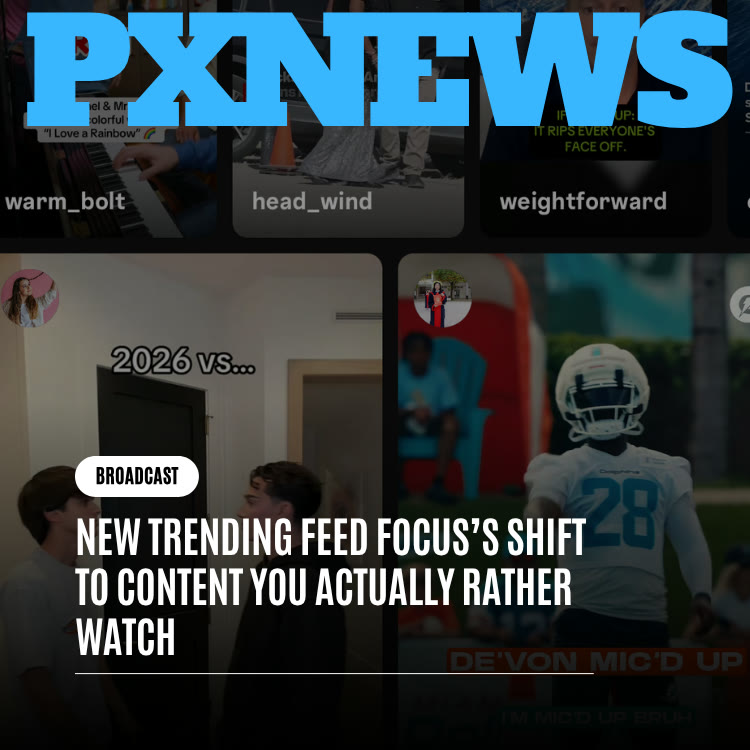
Whistlr's Trending feed now gives more weight to how people actually watch a video, not just whether it caught their eye for a second. Clips that viewers finish, replay, or scroll back to find again climb higher and more easily, while clips that win a split-second glance and then lose the viewer get less of a boost. Here is what changed, why, and what it means if you post on Whistlr.
What the Trending Feed Is on Whistlr
When you open the Whistlr app, the home tab gives you a row of destinations: Minis, Trending, Browse, Flow, and Waves. Minis is the full-screen vertical video feed. Flow is the live-stream hub. Waves is music. Trending is the place for what is catching on across the platform right now, the tab people check when they want a sense of what everyone else is watching.
Because Trending reflects the whole community rather than just the accounts you follow, it sets expectations about what "popular" means on Whistlr. If the top of that tab is full of clips that grab attention and deliver nothing, people learn to distrust it. If it is full of videos worth the time, people come to rely on it. That is the reason this change focused on Trending first.
Each Whistlr surface has its own ranking logic. Minis, Chattr, Discover, Radar, Noise, and Waves are ranked independently, so what works in one place is not automatically what works in another. Trending's update is specific to Trending.
The Problem With Reaction-Only Trending Feeds
Almost everyone has had this experience on some app: you open the popular tab, something jarring stops your scroll, you watch a few seconds, and then you move on with nothing to show for it. You cannot remember the clip an hour later. You did not dislike it exactly. It just was not worth the moment it took.
That happens across the industry for an understandable reason. Quick reactions are easy to count. A tap, a pause, a startled half-second of attention all register instantly, so a ranking system that wants an answer right away leans on them. Whether someone actually got value from a video is slower to reveal itself. You only learn it by seeing whether they stayed to the end, came back, or shared it.
When feeds reward the quick signal, creators respond to the incentive, and the result is more content tuned for the opening frame and less attention paid to everything after it. Viewers feel the drift even if they cannot name it. "Nothing on trending is worth watching" becomes a common complaint, and Whistlr heard it too.
Catching someone's eye is the opening move. Being worth the time is what should decide what trends.
What Changed: The Signals Trending Now Weighs More Heavily
The update does not throw out quick reactions. It puts them in context alongside signals that say more about whether a video delivered. Whistlr has not published a formula, and this article does not try to describe one, but the behaviors that now count for more are straightforward:
- Finishing the video: A clip people watch to the end is treated differently from one people abandon after a beat, even if both drew a lot of initial plays.
- Watching again: Replays are one of the strongest signs that a video lived up to its promise. If people loop it, or reopen it later, that counts.
- Coming back to find it: Returning to a video after scrolling past it shows a kind of interest a passing glance never can.
- Quick exits, read in context: When people bail almost immediately, that still tells the feed something. Now it is weighed against how the people who stayed actually responded.
- Sharing and reposting: Across Whistlr's rankers, share velocity matters, and a repost is worth more than a like, because passing something along is a stronger endorsement than a tap.
The short version: a loud opening can still help a clip get noticed, but on its own it is no longer enough to carry a video to the top of Trending.
What Viewers Will Notice, and How to Tune Trending for Yourself
Most people will never read about a ranking update. They will just find that the tab behaves differently. Picture two clips posted the same afternoon. One opens with a crash and a scream, then cuts to nothing in particular. The other is a calm forty-second clip of someone restoring an old bike, ending on the first ride down the street. Under a reaction-only system, the first clip might win on raw taps. Under the updated weighting, the second has a real advantage if people stay for the ride and send it to a friend who rides too.
Multiply that across thousands of videos and the character of the tab shifts. The videos leading the tab usually land somewhere: a payoff, a lesson, or a skill worth seeing. You still see plenty of humor and energy, but less filler dressed up as excitement.
Ways to Shape What You See
The feed learns from you as well, so a few habits help it serve you better:
- Use Not Interested: When a video is clearly not for you, mark it rather than just swiping past. That is a direct, useful signal.
- Follow the creators you finish: If you keep watching someone's videos to the end, follow them so their work shows up in your in-network mix too.
- Share what you genuinely liked: Reposting or sending a clip tells the system far more than a passive like.
- Report what breaks the rules: Spam, harassment, and other violations should be reported, not just skipped, so they can be reviewed.
What This Change Does Not Mean
A shift in philosophy can be misread if it is stated too broadly, so a few clarifications are worth making.
- Fast and funny still trends: This is not a preference for slow or serious content. A tiny joke that viewers loop again and again fits the new priorities perfectly. Speed and mood were never the target.
- It is not a guarantee of a perfect feed: Tastes vary, and discovery is a little unpredictable by nature. The update changes which videos get a structural edge; it does not promise a flawless tab every day.
- It is not a published formula: Whistlr is describing the experience and the intent, not the internal math. Anyone claiming to know the exact weights is guessing.
- It does not replace the other surfaces: Minis, Discover, Noise, and the rest still have their own ranking. Trending's priorities do not overwrite theirs.
How Creators Can Make Videos That Trend on Whistlr
Reach pays the bills for many creators, so here is the plain version: this update rewards craft. If you have been making careful videos and watching them get outpaced by cheap hooks, the incentives just moved in your direction. Here is a practical way to adapt.
- Plan the ending before you film the opening: Know the payoff, whether it is a punchline, a reveal, a finished result, or a useful takeaway, and build backward from it. A clip with a satisfying end is more likely to be finished and replayed.
- Keep a strong hook, but make it honest: The first seconds still decide whether someone presses play. Just make sure the opening promises something the rest of the video delivers. A misleading hook gets the click and loses the finish.
- Cut ruthlessly: Every second without purpose is a chance for someone to leave. Use the Length setting in the Minis camera to commit to a shorter format, and trim in the in-app editor before you post.
- Design for the second watch: Layer in details that reward attention, such as a background gag, a quick on-screen caption, or a beat-synced edit using Minis Templates. Viewers who notice something new on the replay tend to replay again.
- Use the tools that keep delivery tight: The Teleprompter keeps talking-head videos on script, multi-clip recording helps you pace a story, and Speed and Timer make hands-free shots cleaner.
- Give people a reason to share: Because reposts count for more than likes, ask yourself whether someone would send this to a friend. Useful, surprising, or genuinely funny content travels.
- Check what actually held attention: Once your account is verified, your professional dashboard shows views, accounts reached, and interactions over 7, 14, 30, or 90 days. Compare your best and weakest videos and look for what the winners did differently. The Insights guide explains each metric.
Common Habits That Quietly Hurt Completion
- Long intros: Greeting the camera or explaining what you are about to do before doing it gives viewers an easy exit.
- Bait-and-switch openings: Teasing something the video never shows trains people to leave your clips early.
- Endings that trail off: If the last few seconds feel like leftover footage, viewers drop before the finish and rarely replay.
- Unreadable text: Captions that flash too fast or sit under interface elements force people to rewind in frustration, not delight.
- Audio that fights the message: A trending sound is useful only if it supports the video. Use Add audio deliberately rather than by default.
For more on building videos people stick with, see Create Engaging Content.
Why Consistency Beats One-Off Spikes Under the New Approach
When a feed rewards only the opening moment, every video is a lottery ticket. You hope one clip catches fire and spend its value in a single burst. When a feed rewards finishing and replaying, a different pattern pays off. Someone who keeps posting videos that viewers watch fully and revisit earns a reputation with the system, and replay-worthy videos can keep earning attention well after the day they were posted.
That has practical consequences for how you plan your posting:
- Quality over volume: Three videos people finish will usually do more for you than ten they abandon.
- Series and formats help: A recurring format teaches viewers what to expect, which makes them more likely to watch to the end.
- Your back catalog matters: Strong older videos can keep drawing viewers, especially when new posts send people to your profile.
If you have been chasing a single viral moment, ETAPX's piece Reframing Going Viral offers a healthier way to think about reach.
What the Trending Update Means for Businesses on Whistlr
Brands and shops on Whistlr play by the same organic rules as creators. If your business posts Minis to build awareness, the same principles apply: a product demo that shows a real result, a behind-the-scenes clip that ends with something satisfying, or a tutorial people bookmark will hold up better than a flashy opener that goes nowhere.
- Show the outcome: Before-and-after reveals, finished builds, and completed recipes give viewers a reason to stay to the end.
- Attach a next step: Business accounts can add a Whistlr GO product or a link call-to-action to a Mini, so viewers who finish the video have somewhere to go.
- Treat organic and paid separately: Ads on Whistlr run through Ads Manager with their own placements, including full-screen Minis. Organic Trending performance still depends on how real viewers respond to your content.
The How to Grow guide covers the broader playbook for building an audience on Whistlr.
Where Whistlr's Discovery Is Heading Next
The Trending update is part of a wider direction at Whistlr: treat people's time as something to earn rather than something to capture. Whistlr's feeds already mix posts from people you follow with recommendations from beyond your network, and they are built to keep a variety of authors in view instead of letting a handful of accounts dominate. Weighting completion and replays is another step in the same direction, asking the feed to check its work before it decides what deserves attention.
Expect continued tuning. The team plans to keep adjusting how these behaviors are balanced against other kinds of interest and to keep collecting feedback about clips that still feel hollow once they reach the tab. The principle underneath will not move: a video's opening earns it a chance, and its substance decides how far it travels.
Why This Matters Beyond One Tab
Trending shapes habits. When viewers trust that the top of the tab is worth their time, they watch more carefully, share more deliberately, and reward creators who put effort into the whole video. When creators trust that effort will be noticed, they invest in it. That loop is healthier for everyone on Whistlr than one built on startling people for half a second, and it is the loop this update is designed to encourage.
Frequently Asked Questions
How does the Whistlr Trending feed decide what to show?
Trending looks at how people behave around a video, not only whether they reacted to it at first. Videos that viewers finish, replay, return to, and share carry more weight than videos that draw a quick glance and an immediate exit. Whistlr has not published an exact formula.
Can short or fast-paced videos still trend on Whistlr?
Yes. The change is about whether a video is worth the attention it gets, not about its length or energy. A short, punchy clip that people loop several times is exactly the kind of content the updated Trending feed rewards.
Where do I find the Trending feed in the Whistlr app?
Trending sits on the home tab alongside Minis, Browse, Flow, and Waves. It shows what is catching on across the platform, not only from accounts you follow.
Do reposts count more than likes on Whistlr?
Across Whistlr's ranking systems, reposts are treated as a stronger signal than likes, and how quickly something is shared also matters. Passing a video along is a clearer endorsement than tapping a heart.
How can I tell if my videos are being watched to the end?
Verified accounts get a professional dashboard with views, accounts reached, and interactions over 7, 14, 30, or 90 days. Comparing your strongest and weakest videos there is a practical way to spot which formats hold attention.
Does this change how Minis or other feeds are ranked?
Each Whistlr surface, including Minis, Chattr, Discover, Radar, Noise, and Waves, has its own ranker. The update described here is about Trending, though making videos people finish and share is good practice everywhere.
The idea behind the update fits in one sentence: the clips that rise should be the ones people are glad they watched. If you post on Whistlr, build for the full video and the replay. If you scroll Whistlr, expect a Trending tab that respects your time a little more each week.